
Guide · Stateful behavior
AvailableLast verified
Model data that survives the request
Use one atomic runtime for visual state actions and template helpers. State is isolated by workspace and API scope, while dynamic keys let you model individual customers, sessions, carts, jobs, or entities.
In this guide
- Choose the correct resource type
- Scope state to one API or share it across a workspace
- Use atomic before and inline mutations
- Reset, snapshot, restore, and audit live data safely
Prerequisites
- A DotMock workspace you can access
- The API ID in $API_ID and its published runtime URL in $MOCK_URL when the example calls the mock
On this page
Choose the resource by behavior
A resource definition describes the data structure, initial value, scope, and optional TTL. Live entries are separate from the definition, so publishing configuration does not erase them.
- Map — address arbitrary JSON by key, such as users-by-id
- Counter — atomic request counts, quotas, inventory, and sequence numbers
- List — ordered values with push, unshift, pop, and shift
- Queue — FIFO jobs, scripted outcomes, and event sequences
- Stack — LIFO undo history and nested workflows
- Set — unique membership and deduplication
- Collection — schema-aware CRUD records
- State machine — validated transitions such as pending → paid → refunded
Use the narrowest useful scope
API scope is the default. Only the current API can resolve that resource. Workspace scope makes the definition and live namespace visible to every API in the same team workspace, which is useful when a REST API creates data that GraphQL, gRPC, LLM, or webhook behavior must read.
Understand the atomic execution order
Each request runs Match → Before actions → Template rendering → Response → After actions. Before actions and inline mutations share one atomic transaction. A validation or render failure commits nothing.
After actions are durable and retried, but they cannot change the response that was already selected. Use them for response hooks and follow-up effects, not response selection.
Match → Before actions → Template rendering → Response → After actionsUse proven state patterns
Dynamic keys come from the current protocol scope. REST uses path parameters, query values, headers, and body paths; GraphQL uses variables and arguments; gRPC uses typed message fields and metadata; LLM fixtures use normalized request data; webhook templates use trigger data.
{{state.create "users-by-id"}}{{state.increment "request-count" "$header.x-customer-id" 1}}{{queue.pop "checkout-outcomes" "$header.x-test-run"}}{{set.add "seen-products" "$body.customerId" "sku_123"}}Manage live values without surprises
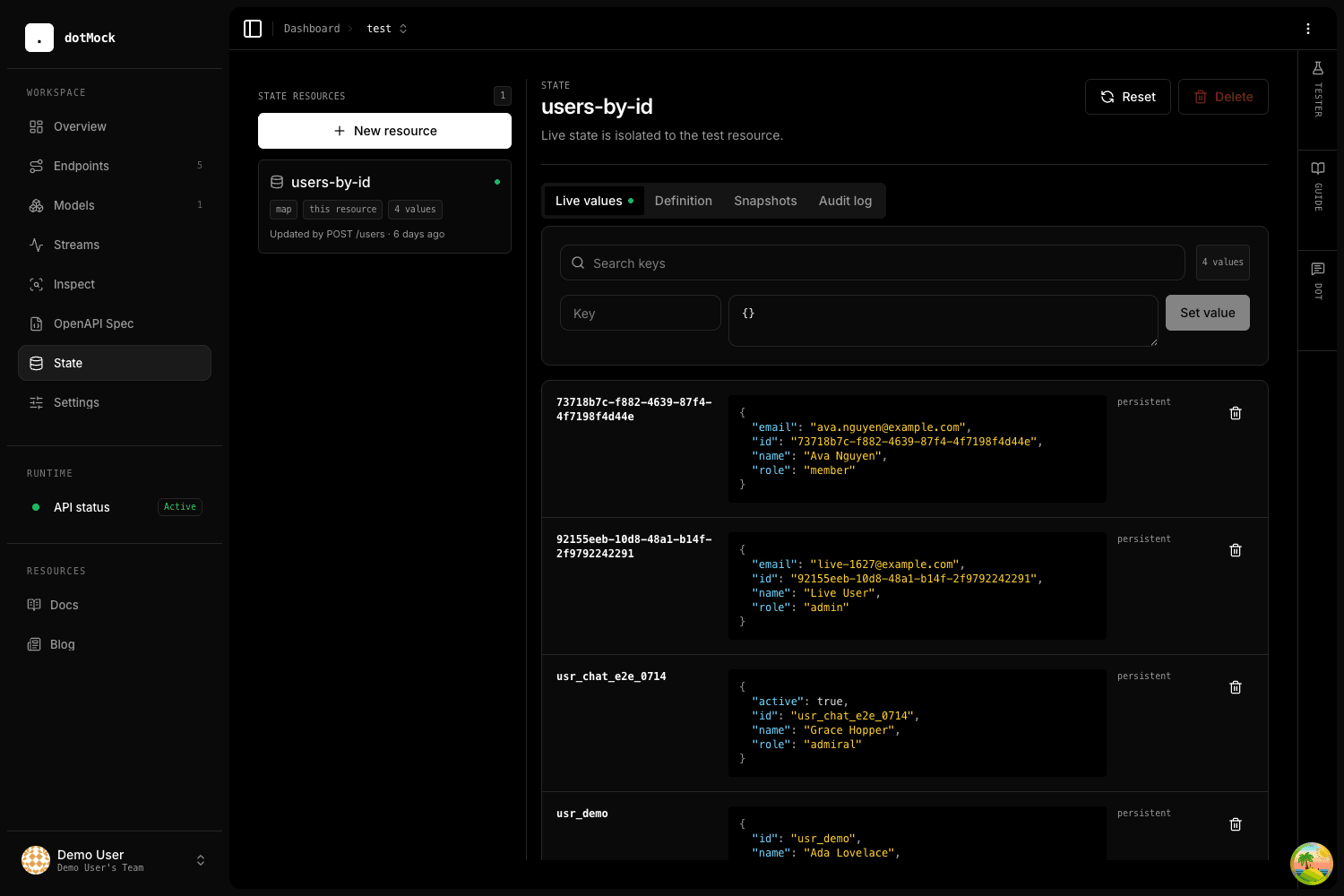
Reads never extend a TTL. Successful writes refresh it. Editing an initial value affects only new or reset entries, and incompatible type changes are blocked while live values exist.
Use search and paginated entry inspection for routine edits. Snapshot before a destructive experiment, restore only with confirmation, and use the audit log to identify the endpoint, CLI, agent, or UI action responsible for the last write.
- Publishing preserves live values
- Reset explicitly returns entries to their initial state
- Snapshots and definitions are durable control-plane records
- Live values stay in API-isolated Redis namespaces
- Redis outages leave stateless mocks available while state-dependent requests fail closed with 503
Preview the exact diff
A safe tester run uses an isolated overlay. It never writes Redis and returns the exact proposed state diff alongside the winning response. Use a fixed seed and run ID for concurrent or sequence-sensitive tests.
dotmock --json test --api "$API_ID" --method POST --path /users --body @user.json --seed 42