

Software test case management is all about how you create, organize, run, and track your tests. It’s not about mindlessly ticking off a checklist. Think of it as the strategic playbook that brings discipline to the often-chaotic world of quality assurance, making sure every single feature is rock-solid before it goes live.
From Chaos to Control: A New Perspective on Testing

Picture an air traffic control tower. The controllers aren’t just glancing at planes as they come and go. They're using a highly sophisticated system to track every flight's origin, destination, speed, and altitude. That system is what ensures safety, prevents disasters, and keeps the entire airport running smoothly.
Now, look at your testing process. Without a proper system, it can feel a lot like managing that same airport using just a handful of sticky notes. Sure, tests are being run and bugs are being found, but the information is all over the place. This kind of disorganization is a recipe for missed bugs, duplicated effort, and frustrating release delays. This is exactly where effective software test case management steps in to become your air traffic control.
The Core Function of Test Case Management
At its heart, test case management takes testing from a collection of isolated actions and turns it into a centralized, data-driven operation. It becomes the single source of truth for your entire QA process, giving you clear answers to mission-critical questions.
It organizes every "flight"—each individual test case—into a logical, coherent plan. This means writing out detailed steps, defining exactly what the expected outcome should be, and tying it all back to specific software requirements. The objective is to make sure every corner of your application is checked methodically.
A well-managed test suite doesn't just find bugs; it builds confidence. It provides stakeholders with clear, measurable proof that the application meets user expectations and business goals, turning quality assurance from a cost center into a value driver.
Adopting this kind of structured approach brings some immediate and powerful benefits to your development cycle:
- Enhanced Visibility: Everyone, from developers to product owners, can see the real-time status of testing.
- Improved Collaboration: Teams have one central hub to share test plans, assign work, and discuss results.
- Greater Accountability: With clear ownership for every test case and execution run, nothing falls through the cracks.
- Data-Driven Decisions: Dashboards and reports offer tangible insights into release readiness, helping you make the call to ship or hold with confidence.
More Than Just Bug Tracking
It's easy to mix up test case management with bug tracking, but they play very different roles. Bug tracking is reactive; it's all about documenting and fixing defects after they've already been discovered.
Software test case management, on the other hand, is proactive. It’s the art of designing the very test strategy that uncovers those bugs in the first place. The ultimate goal is to uphold strong Quality Assurance principles by systematically validating the entire application. It’s about preventing problems, not just chasing them.
This practice is the backbone of any mature testing process. It gives you the structure needed to manage complexity, scale your testing, and consistently ship high-quality software. Without it, even the most skilled QA teams are essentially flying blind.
Key Features of a Test Management System
Moving from scattered spreadsheets to a dedicated software test case management tool isn't just an upgrade; it's like swapping a paper map for a live GPS. The map shows you the streets, sure, but a modern system gives you real-time data, route options, and a central command center for your entire quality effort.
These platforms are built around a handful of core features that bring much-needed structure and intelligence to the often chaotic world of software testing. Each one is designed to solve a specific, nagging problem that teams constantly wrestle with when doing things the old-fashioned way.
Let’s be honest: spreadsheets were never built for this job. They’re a workaround, not a solution. When teams finally make the switch to a proper test management tool, the difference is night and day.
Manual Spreadsheets vs Dedicated Test Management Tools
| Feature | Spreadsheet Approach (Manual) | Dedicated Tool (Automated/Centralized) |
|---|---|---|
| Test Case Storage | Scattered across multiple files, often outdated. | A single, centralized repository. The one source of truth. |
| Collaboration | Prone to version conflicts ("final_v2_final.xlsx"). | Real-time collaboration with clear user roles and permissions. |
| Reporting | Manual data crunching is required for every report. | Automated dashboards with live metrics and trend analysis. |
| Traceability | Linking tests to requirements and defects is a painful, manual process. | Built-in traceability matrix linking all artifacts. |
| History & Auditing | No reliable change history. Who changed what, and when? | Complete version control and audit trails for every change. |
| Integrations | Zero native integrations with bug trackers or CI/CD pipelines. | Seamless integrations with tools like Jira, Jenkins, and APIs. |
The table really tells the story. While a spreadsheet might seem "free," the hidden costs in wasted time, confusion, and missed bugs are enormous. A dedicated tool pays for itself by preventing those very problems.
Centralized Test Repository
Think about your test cases as critical company assets. You wouldn't just leave important contracts scattered across random employee laptops, would you? Of course not. You’d put them in a secure, organized library. A centralized test repository is exactly that—a single source of truth for every single test case.
This simple change instantly kills the confusion over which test version is the right one. It also makes your test cases reusable, saving your team from reinventing the wheel on every project. Need to test a standard user login flow? Just pull the existing suite instead of writing it all over again from scratch.
A centralized repository transforms test cases from disposable checklists into valuable, long-term assets. This foundation enables consistency, scalability, and historical analysis, which are impossible to achieve with fragmented documents.
With a central hub, you gain some immediate wins:
- Easy Access and Searchability: Testers can find any test case in seconds by filtering by feature, priority, or author.
- Reusability: Common test scenarios are easily saved and repurposed across different projects and release cycles.
- Consistency: All test cases follow a standard format, which means anyone on the team can pick one up and understand it.
Version Control and History
Software is in a constant state of flux, and your tests have to keep up. When a feature gets an update, the tests for it must be updated, too. Without version control, you’re flying blind, potentially running outdated tests against new code. This leads to the worst kind of results: false passes and irrelevant failures that waste everyone's time.
A proper test management system has version control baked right in, working much like Git does for source code. It tracks every single change, shows you who made it, and even lets you compare different versions side-by-side. This creates a crystal-clear audit trail and stops outdated information from derailing your entire testing effort.
This isn’t just a nice-to-have. It’s crucial, especially when you consider that 40% of large enterprises pour over a quarter of their IT budget into testing activities. With that kind of investment, robust controls are non-negotiable. You can find more data on industry spending by reviewing these software testing statistics.
Rich Reporting and Analytics Dashboards
You can't fix what you can't see. This is where a test management tool truly shines. Its ability to give you instant, clear visibility into the entire testing process through dashboards and reports is a game-changer.
These dashboards pull in all the raw data from your test runs and present it in simple, visual charts. In a single glance, anyone from a QA engineer to a project manager can see the most important metrics:
- Test Execution Progress: What percentage of tests are done, in progress, or blocked?
- Pass/Fail Rates: How stable is the current build? Are we trending in the right direction?
- Defect Density: Which features are the buggiest? Where should developers focus their attention?
This data-driven approach moves the conversation away from gut feelings and guesswork. Instead of asking, "Are we done testing yet?", the team can ask a much better question: "What does the data tell us about our quality and release readiness?"
How to Choose the Right Test Management Tool
Picking a software test case management tool is a big deal. It’s not about grabbing the one with the longest feature list; it’s about finding the right fit for how your team actually works, your company culture, and the tech you’re already using. What works like a dream for one team can be a total nightmare for another.
The secret is to ignore the flashy marketing and zero in on three things that truly matter: integration, scalability, and adoption. These are the pillars that determine whether a new tool will blend into your workflow or just get in the way. A platform that nails these three will actively help you build quality, not just track it.
Evaluate Core Integration Capabilities
Your test management tool can't be a lone wolf. To be worth anything, it has to talk to the other tools your team lives in every day. If it doesn’t, you're signing up for endless manual data entry and information gaps—the exact headaches you're trying to get rid of.
First, map out your current toolchain. The absolute must-have is a seamless connection to your issue tracker, like Jira. This can't be a one-way street; you need to link test cases to user stories and automatically push bug tickets from failed tests right into Jira. This creates a clear line of sight from a requirement all the way to a defect.
Next up is your CI/CD pipeline. The right tool will plug directly into systems like Jenkins, GitLab CI, or GitHub Actions. This connection lets you:
- Kick off automated test suites the moment new code is committed.
- Feed test results straight back into the test management platform.
- See the health of every build in real-time without having to jump between different dashboards.
Finally, don't forget your specialized tools. If your team does a lot of API testing, for example, your test management tool needs to play nice with API mocking services. A platform like DotMock lets you simulate all sorts of API responses, and your central tool should be able to manage and log the results from those tests.
Assess Scalability and Future Needs
The tool you pick today has to work for the team you’ll have tomorrow. Scalability isn’t just about storing more test cases. It’s about handling more people, more complex projects, and new testing methods without breaking a sweat. A tool that’s fine for a 5-person team might completely fall apart for a 50-person QA department.
Get straight to the point and ask vendors the tough questions:
- How does the tool actually perform with hundreds of thousands of test cases?
- Can it handle dozens of projects at once, each with its own permissions and setup?
- What’s the story with enterprise-grade features like single sign-on (SSO) or advanced user roles?
Choosing a test management tool is an investment in your team's future efficiency. A scalable solution grows with you, preventing the costly and disruptive process of migrating to a new platform just a year or two down the line.
Look for a tool that gives you both freedom and guardrails. It should let you add custom fields and tweak workflows to match your process, but also offer solid templates to keep things consistent. That balance is the key to staying organized as your testing efforts get bigger.
Prioritize User Experience and Team Adoption
The most feature-packed tool in the world is completely useless if nobody on your team wants to touch it. A confusing, clunky interface is a surefire way to kill adoption. If people find it hard to use, they'll just go back to their trusty spreadsheets, and you’ll have wasted your money.
When you’re evaluating options, get the whole team involved—not just the managers. Ask your QA testers, developers, and even product owners for their honest opinions. Their buy-in is everything. A clean, intuitive UI that gets the job done with fewer clicks will naturally encourage everyone to use it.
Before you sign any contracts, run a pilot program with a small, real project. A proof of concept (POC) is the ultimate reality check. It takes you beyond the polished sales demo and shows you what the tool is really like to use day-to-day, helping you make a decision that your entire team can get behind.
Building an Effective Test Management Workflow
Having a slick new software test case management tool is a great start, but it's really only half the battle. The real magic happens when you pair that tech with a rock-solid, repeatable workflow. This process is the blueprint that guides your team's day-to-day, turning good intentions into consistent, high-quality results.
A well-defined workflow provides the structure you need to manage everything from creating a test case to getting the final thumbs-up. It makes sure every test is clear, serves a purpose, and contributes directly to the overall quality of the release. Without that structure, even the best tool can lead to chaotic and ineffective testing.
This diagram shows the key things to think about when you're weaving a new tool into your existing process—focusing on how it integrates, scales, and gets adopted by the team.
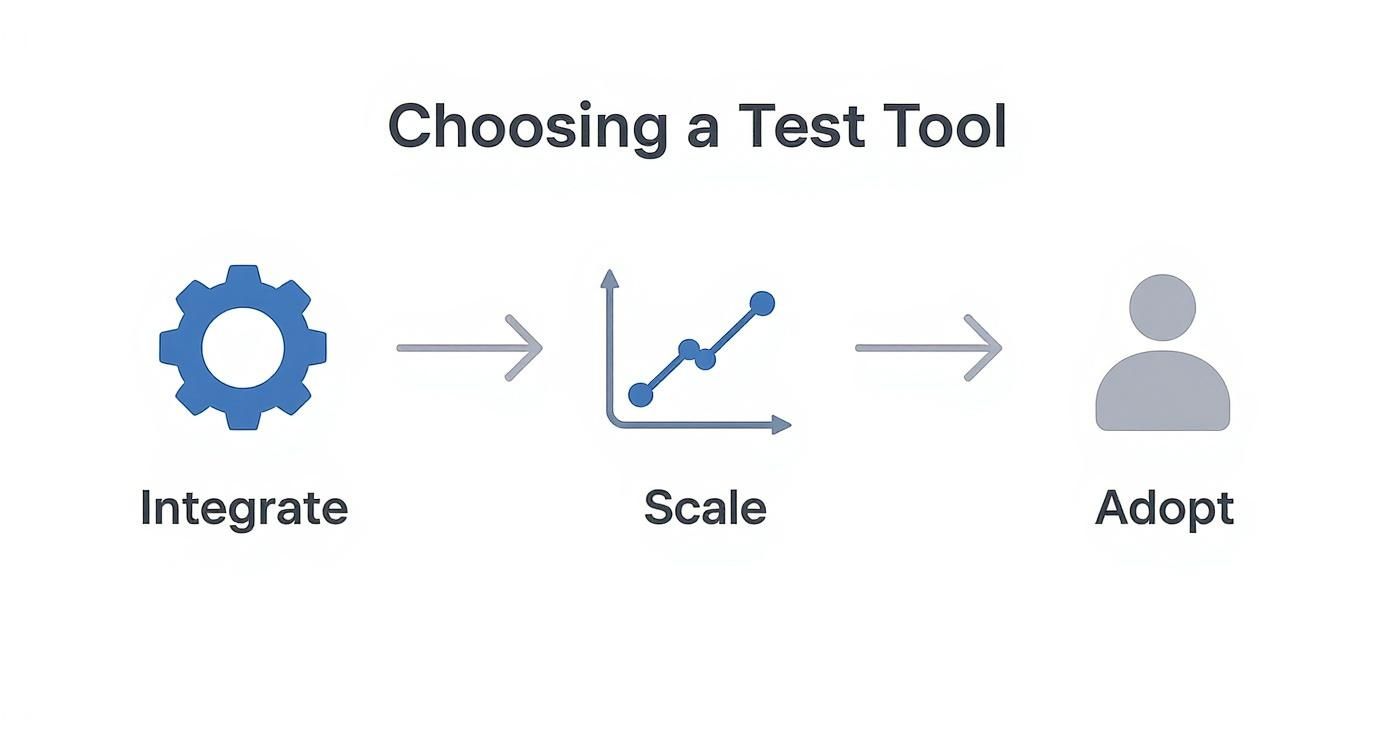
As you can see, a successful workflow isn't just about the tool itself. It's about how smoothly it connects with your other systems and, just as importantly, how easily your team can actually start using it.
Crafting Clear and Reusable Test Cases
The foundation of any great testing workflow is the quality of the test cases themselves. Honestly, a poorly written test case is worse than having none at all. It just creates confusion, wastes time, and leads to shaky, inconsistent results. The goal is to write tests that are so clear that a new team member could pick one up and run it without asking a single question.
To get there, every test case needs to be:
- Atomic: Each test should focus on one specific thing. If you lump multiple checks into a single test, it’s a nightmare trying to figure out what actually broke when it fails.
- Unambiguous: Use simple, direct language. Ditch the jargon and clearly spell out every step and exactly what you expect to see.
- Reusable: Write generic tests for common functions—things like user login or a search feature—that you can easily adapt and reuse across different projects. This saves a massive amount of time down the line.
Building a library of top-notch, reusable test cases is a long-term investment in your team's efficiency. For a deeper look, check out our guide on https://dotmock.com/blog/how-to-create-a-test-case that is both effective and easy to maintain.
Organizing Test Suites for Maximum Impact
Once you have a collection of well-written test cases, the next job is to organize them into logical groups called test suites. A test suite is just a collection of test cases designed to be run together for a specific reason. Think of it like creating different playlists for your tests.
You can organize suites based on all sorts of criteria:
- By Feature: Group all tests related to something like "User Profile Management."
- By Type: Create separate suites for Smoke Tests, Regression Tests, or Sanity Tests.
- By Environment: Assemble tests specifically for different deployment environments, like staging versus production.
A thoughtful test suite structure is critical for efficient software test case management. It allows you to run targeted test cycles, quickly assess the health of specific application areas, and avoid the inefficiency of running every single test for every minor code change.
This kind of organization means you can run the right tests at the right time. For example, after a small bug fix, you might only need to run a quick sanity suite and the relevant feature suite instead of a full regression that could take hours. For a deeper dive into setting up these kinds of processes, the principles of effective workflow management are a great place to start.
Implementing Review Cycles and Traceability
To keep your test repository in top shape, you absolutely need a formal review and approval process. This workflow ensures that every new or updated test case gets a second set of eyes—from a peer or a senior QA lead—before it becomes official. It’s a simple step that catches errors, improves clarity, and keeps everyone on the same page.
The final, crucial piece of the puzzle is traceability. This just means linking every single test case back to a specific requirement, user story, or business goal. This connection creates an unbroken audit trail, all the way from the initial idea to the final validation.
Traceability gives you clear answers to critical questions like, "Do we have complete test coverage for the new payment feature?" and "Which requirements have been fully tested and have passed?" This linkage is the ultimate proof that you’re not just testing code—you're building and validating what the user actually needs, ensuring no requirement ever gets left behind.
Integrating Test Management Into Your CI/CD Pipeline
In a well-tuned development process, testing doesn’t wait for the final act—it runs alongside every code change. Your software test case management tool becomes more than a static catalog; it turns into an on-the-move quality inspector built right into the CI/CD workflow.
Imagine your CI/CD pipeline as an automated assembly line for your product. Each commit trips a series of actions—compile, verify, and package. Dropping your test management system into this line is like adding checkpoints staffed by watchful inspectors, ready to catch errors before they roll down the belt.
Automating The Feedback Loop
The promise of CI/CD is rapid, reliable delivery. The secret ingredient? Spotting bugs as soon as they appear. By wiring your build server (like Jenkins or GitLab) to your test management platform through APIs, you build a cycle that never stops.
This loop usually follows these steps:
- Code Commit Triggers Action: A developer pushes changes. The CI/CD tool picks up the update and starts a new build.
- Pipeline Executes Tests: The server calls your test case management system via its API, queuing up the right suite—say a “Smoke Test” or a “Feature X Regression.”
- Results Are Pushed Back: As tests finish, pass/fail statuses flow straight into your management tool’s dashboard.
- Build Status Is Updated: The pipeline reads these results. If vital tests fail, it can automatically stop that build to keep faulty code from moving forward.
With feedback delivered in minutes rather than days, developers catch and fix issues while the details are still fresh.
The Central Role Of APIs
Seamless communication relies on well-designed APIs. They act as translators, letting your CI/CD server, testing frameworks, and management platform share data in real time.
By using APIs to connect your software test case management tool to your pipeline, you create a single, unified ecosystem for quality. It breaks down the silos between development, testing, and operations, making quality a shared and visible responsibility for everyone involved.
This API-driven model lets teams tailor workflows to their exact needs, so testing never becomes a bottleneck. For a deeper dive, explore our guide to software testing in DevOps.
From Manual Effort To Real-Time Quality Metrics
Linking test results back to your central platform does more than automate runs. Suddenly, you have a live feed of metrics—build health, pass/fail trends, defect rates—lighting up your dashboards.
This shift toward automation is reshaping how teams work. Recent figures show 46% of teams have automated at least half of their manual tests, a clear move away from slow, manual QA cycles. For a closer look at the data, check out these test automation statistics.
In the end, integrating your test management system into CI/CD makes quality both visible and automatic. Developers own the health of their code every step of the way, and the organization gains confidence that each release stands on a firm, thoroughly tested foundation.
The Future of Test Management with AI

The world of software test case management is about to get a whole lot smarter, thanks to artificial intelligence and machine learning. We're moving away from the days of purely manual, reactive testing. The shift is toward a proactive, intelligent discipline where our tools don't just organize our work—they actively help us do it better.
Think about it: an AI that scans your latest code commit. Instead of just listing the changed files, it intelligently pinpoints which tests need to be run and even suggests brand-new test cases to cover the updates. It might even generate the test scripts for you. This is a massive time-saver, freeing up QA teams to focus on the tricky, exploratory testing that really requires a human touch.
AI-Driven Test Generation and Optimization
The most obvious win for AI is in creating and managing test suites. Modern AI algorithms can look at user stories, design documents, or even the application's UI and generate relevant test cases automatically. This isn't just about moving faster; it's about getting better coverage by catching edge cases a human might easily miss.
AI is also getting really good at cleaning up our existing test suites. It can spot redundant tests or those that consistently pass without ever finding a bug, helping you trim the fat from your regression runs. A lean test suite means a faster feedback loop for your developers. This approach amplifies many of the core benefits of automated testing.
This kind of smart automation brings a few game-changing perks:
- Self-Healing Tests: Imagine a button's ID changes in the code. Instead of the test breaking, an AI can recognize the change and automatically update the script. That’s a huge reduction in test maintenance.
- Smart Test Data Generation: AI can create rich, realistic test data that covers all the weird edge cases and boundary values you need to really stress-test your application.
The point of AI in testing isn't to make human testers obsolete. It's about giving them superpowers. By letting the machine handle the repetitive, data-heavy work, QA pros can focus their creativity and expertise where it truly counts.
Predictive Analytics for Risk-Based Testing
Beyond just creating tests, AI's predictive power is set to completely change how we approach risk. Machine learning models can comb through historical data—code changes, past bug reports, test results—and identify which parts of your application are most likely to break.
This means your test management tool can start to think for itself. It could automatically prioritize the tests that cover these fragile areas, ensuring your team's limited time is spent where the risk is highest. It’s about getting ahead of problems before they spin out of control, letting you ship higher-quality software with much more confidence.
Answering Your Top Test Management Questions
Even with a solid plan, a few common questions always pop up when teams get into the nitty-gritty of managing their tests. Let’s tackle some of the most frequent ones I hear from engineering and QA teams.
What’s the Real Difference Between a Test Case and a Test Scenario?
Think about it like building a house. A test scenario is the blueprint for a single room, like "Test the user login process." It gives you the big picture—what are we trying to validate here? It's a high-level goal.
A test case, then, is the specific list of instructions for building that room. It details every single step: "Enter a valid username," "Enter a corresponding valid password," "Click the 'Login' button," and what you expect to happen—"The user is successfully redirected to their dashboard." One scenario can have many test cases covering all the different paths (like what happens with a wrong password, a locked account, etc.).
Will AI Actually Replace Manual Testers?
Not a chance. AI is an incredible tool for testers, but it’s just that—a tool. It's fantastic at handling the grunt work, like churning through thousands of regression tests or auto-generating basic test data. This is a huge win because it frees up your human experts to do what they do best.
Human testers are irreplaceable when it comes to things like exploratory testing, judging user experience, and understanding the subtle, complex bugs that an automated script would simply never catch. AI doesn't make testers obsolete; it makes them more powerful.
Is There Such a Thing as Too Many Test Cases?
Absolutely. The goal is never to have the most test cases; it's to have the right ones. Effective coverage is what matters. Having 500 tests that all poke at the same simple feature is far less useful than having 50 targeted tests that hammer your most critical, high-risk functionality.
It all comes down to a risk-based mindset:
- Focus your most detailed tests on the features that make you money or carry the most risk, like the payment gateway.
- For stable, low-risk areas like a static "About Us" page, a few high-level checks are probably enough.
- Make it a habit to regularly review and clean out your test suites. Get rid of anything redundant or outdated.
At the end of the day, a lean set of 100 well-written, relevant test cases will give you more confidence in a release than a bloated library of 1,000 meaningless ones ever could.
Ready to eliminate API testing bottlenecks and empower your QA team? DotMock lets you create reliable mock APIs in seconds, allowing you to test every success, failure, and edge-case scenario without depending on live services. Start mocking for free and ship faster with DotMock.