
Think of an API gateway like the main entrance to a massive, bustling city. API gateway rate limiting is the traffic control system for that entrance, deciding how many cars can come through at any given time. Its main job is to manage the flow of requests heading to your backend services, making sure things don't get overcrowded and grind to a halt.
This control is absolutely critical. Without it, your services are left wide open, and a sudden flood of traffic could easily overwhelm them.
The Role of Rate Limiting in Modern APIs
Because an API gateway is the single front door for all your clients, it’s the perfect place to enforce these traffic rules. Instead of duplicating rate-limiting logic inside every single microservice—which would be a maintenance nightmare—you centralize it at the gateway. This keeps things simple and ensures every part of your system plays by the same rules.
Imagine what happens without this control. A sudden traffic spike, whether from a viral marketing campaign or a malicious attack, could chew through your server's CPU, memory, and database connections in seconds. The result? Sluggish performance, frustrating errors, or a full-blown outage for every single one of your users.
Why Rate Limiting is a Strategic Necessity
Putting rate limiting in place isn't just about playing defense; it's a smart, strategic move for building a tough and scalable API program. The benefits go far beyond just blocking traffic, impacting everything from system performance to your bottom line.
Here’s a breakdown of why it's so important:
| Benefit | Description | Real-World Impact |
|---|---|---|
| Protecting Backend Services | Acts as a shield, absorbing unexpected traffic surges and preventing downstream services from getting swamped. | Your application stays up and running during a flash sale or product launch, ensuring a smooth customer experience. |
| Ensuring Fair Usage | Prevents any single user or client from hogging all the resources, guaranteeing everyone gets fair access. | In a multi-tenant SaaS product, one power user's heavy activity won't slow down the service for everyone else. |
| Enhancing Security | By capping request frequency, it helps shut down common attacks like brute-force login attempts or DDoS attacks. | An attacker trying to guess passwords by flooding your login endpoint gets blocked after just a few attempts. |
| Managing Operational Costs | If your API calls a paid third-party service, rate limiting stops unexpected usage from blowing up your budget. | A bug in a client application that causes an infinite loop of API calls won't result in a surprise five-figure bill. |
This isn't just theory; it's how businesses operate in the real world. In 2023, data revealed that over 80% of enterprise customers fine-tune their rate limits to match their specific application needs, with some allowing up to 5,000 requests per second. This kind of control allows them to grow confidently while significantly cutting down on API-related security problems. You can dig deeper into these API gateway request throttling findings to see how it works at scale.
How Common Rate Limiting Algorithms Work
An API gateway doesn't just block traffic; it uses a specific algorithm to act as a smart traffic controller. Think of these algorithms as the brains behind your API gateway rate limiting policy. They are the gatekeepers deciding who gets in and when, ensuring your system stays stable and fair for everyone.
Picking the right one is crucial, so let's break down how the most common ones work using some simple analogies instead of getting bogged down in complex math.
Comparison of Rate Limiting Algorithms
Each algorithm offers a different way to manage request traffic, with its own unique set of strengths and weaknesses. Understanding these trade-offs is the first step in designing an effective rate limiting strategy.
The table below gives you a quick side-by-side comparison to help you see how they stack up.
| Algorithm | How It Works (Analogy) | Pros | Cons |
|---|---|---|---|
| Fixed Window Counter | A bouncer at a club with a clicker that resets every hour. | Simple to implement and uses very little memory. | Vulnerable to traffic bursts at the edge of the time window. |
| Sliding Window Log | A rolling logbook that tracks every entry in the last 60 minutes. | Highly accurate and smooths out traffic, preventing bursts. | Can be very memory-intensive since it stores a timestamp for every single request. |
| Token Bucket | A gumball machine that gets refilled at a steady rate. You can take all the gumballs at once, but then you have to wait for the refill. | Flexible and allows for short bursts of traffic while maintaining a long-term average rate. | Slightly more complex to implement than a fixed window. |
| Leaky Bucket | A funnel that processes requests at a constant drip, no matter how fast you pour them in. If it overflows, new requests are dropped. | Guarantees a steady, predictable processing rate, which is great for protecting backend services. | Does not allow for any traffic bursts; legitimate spikes may be penalized. |
As you can see, there's no single "best" algorithm. The right choice depends entirely on your API's traffic patterns and what you're trying to protect.
The Fixed Window Counter
The most straightforward approach is the Fixed Window Counter. Imagine a turnstile that counts people entering a park. Every minute, the count resets to zero. If the park's limit is 100 people per minute, the 101st person is simply turned away until the next minute begins.
It's simple and light on resources. But it has a major blind spot: traffic bursts right at the edge of the window. A user could make 100 requests at 11:59:59 and another 100 requests at 12:00:00. That’s 200 requests in two seconds—a surge that could easily overwhelm your backend services.
The Sliding Window Log
To fix that edge-burst problem, we have the Sliding Window Log. This method is more meticulous. It logs a timestamp for every single request. To check if a new request is allowed, it counts how many timestamps fall within the current time window (say, the last 60 seconds).
This approach is incredibly accurate and completely smooths out traffic flow. The catch? It can be a real memory hog. Storing a timestamp for every request from every user just isn't practical for APIs handling massive traffic volumes.
The Token Bucket Algorithm
This brings us to one of the most popular and balanced methods: the Token Bucket. Think of it as a bucket that starts full of tokens. Every API request that comes in has to grab a token to pass through. If the bucket is empty, the request gets rejected.
The magic is that the bucket is refilled with new tokens at a steady, fixed rate. This design is brilliant because it allows for short bursts of traffic—a client can use up all the tokens at once. But they can't exceed the average rate over time because the bucket only refills so fast. It's a fantastic, flexible choice for most modern APIs.
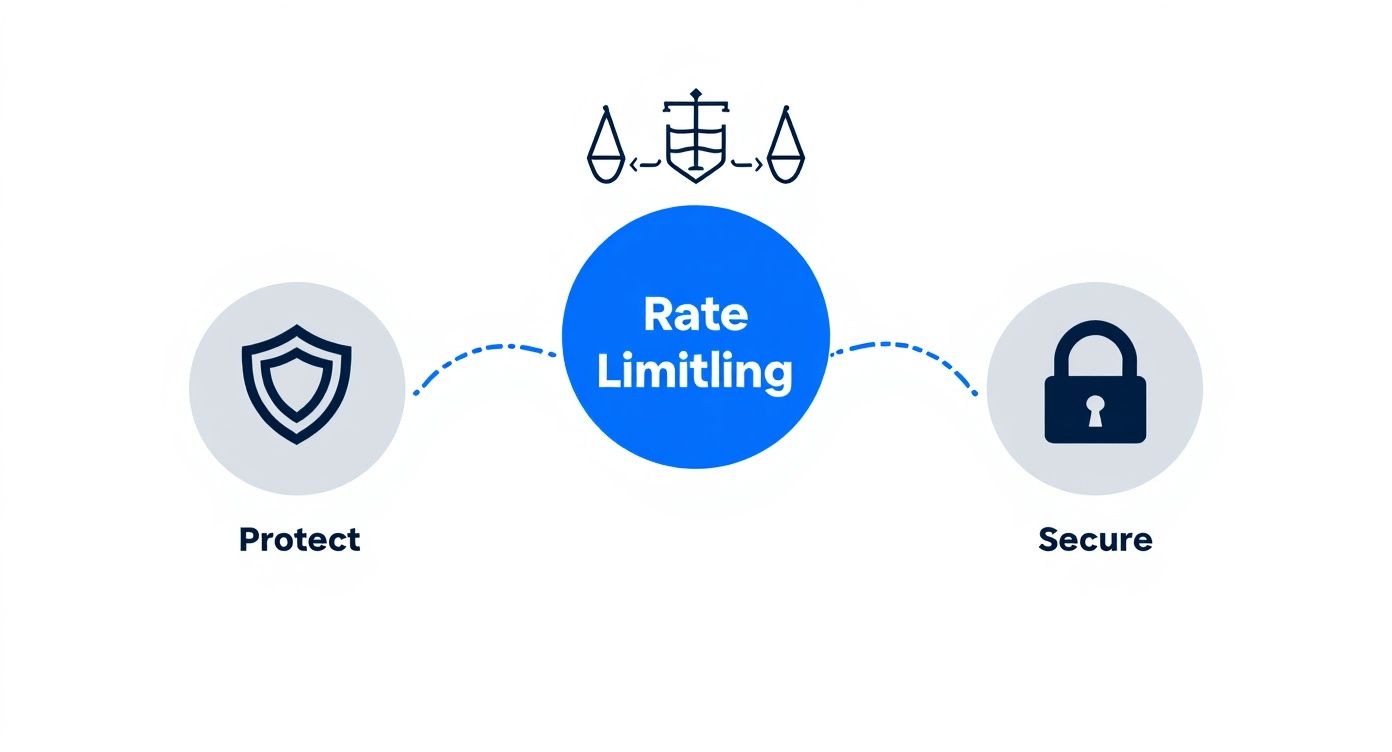
As this shows, these strategies are fundamental for protecting your system's resources and ensuring fair, secure access for all your API consumers.
The Leaky Bucket Algorithm
Finally, we have the Leaky Bucket. Picture a bucket with a small hole in the bottom. No matter how quickly you pour water (requests) into it, it only drains out at a constant, steady drip.
If requests come in faster than they can be processed, the bucket fills up. Once it's full, any new requests are simply discarded.
This algorithm is all about creating a predictable, even flow of traffic to your backend services. Unlike the Token Bucket, it doesn't allow for bursts at all. Its sole purpose is to smooth everything out. To get a better handle on these different approaches, you can learn more about the various types of API rate limits and how they're used in the real world.
Building Your Rate Limiting Strategy
Picking the right algorithm is just the start. A truly effective API gateway rate limiting strategy isn't about finding some technically perfect formula; it’s about shaping your controls to meet real-world business goals. You're building a layered defense that feels fair to your users, behaves predictably, and actually helps your product grow.
This means you have to ditch the one-size-fits-all mindset. A single, global limit slapped on every user and every endpoint is a recipe for frustration. Instead, you need to think in layers, applying different rules based on who’s making the request and what they’re asking for.
Defining Your Control Layers
The first question to ask is, what are we actually limiting? An API gateway gives you the power to apply policies based on a few different identifiers, and each one serves a very different purpose.
Here are the most common layers you'll work with:
- Per-IP Address: This is your broadest, simplest line of defense. It’s great for protecting public, unauthenticated endpoints from basic bots or anonymous traffic spikes. The catch? It's not very precise. An entire office building or university campus might be sharing the same IP, so you could unintentionally block legitimate users.
- Per-User or API Key: Now we're talking. For any authenticated API, this is the gold standard. Tying limits to a specific user account or API key lets you create different service tiers, track exactly who is using what, and stop one power user from ruining the experience for everyone else.
- Per-Endpoint or Service: Let's be honest, not all API calls are created equal. A simple GET request to a
/productsendpoint barely tickles your servers. But a heavy-duty POST request to/generate-reportcould send your database into a tailspin. Applying much tighter limits to these expensive operations is a smart move to protect your most critical backend resources.
A truly robust strategy weaves these layers together. For example, you might set a generous limit for authenticated users (per-API key) while enforcing a much stricter, lower limit for anonymous traffic (per-IP) hitting that same endpoint.
Quotas vs. Throttling: Understanding The Difference
Two terms that get thrown around a lot—and often confused—are quotas and throttling. They both manage API usage, but they operate on completely different timelines and serve distinct business needs. Nailing this distinction is critical.
Throttling is a real-time, short-term protective measure against traffic spikes. Quotas are long-term, business-driven limits tied to commercial agreements or subscription plans.
Think of it like this:
- Throttling is your system’s circuit breaker. It kicks in instantly when it sees a sudden flood of requests (like 100 requests per second) to stop an immediate meltdown. Its goal is stability, right here, right now.
- Quotas are more like a monthly cell phone data plan. They define a large, long-term allowance (say, 50,000 API calls per month) that matches a user's subscription tier. The goal here is monetization and fair resource allocation over a longer period.
A well-architected API uses both. A user on your "Pro" plan might get a monthly quota of 1,000,000 calls, but they're still subject to a throttling limit of 200 requests per second. This ensures their legitimate high usage doesn't destabilize the platform for everyone else. It’s the perfect blend of fairness and protection.
Real-World Strategy In Action
You can see these concepts in action with major players like Stripe. They handle an astronomical number of API requests daily and rely on a multi-tiered API gateway rate limiting strategy to keep things running smoothly. They give critical operations like payment processing much higher limits while applying stricter throttling to less urgent tasks, like pulling analytics data. You can discover more insights about scaling SaaS with rate limiting to see how other top companies put these ideas into practice.
This approach guarantees that even when the system is under heavy load, the most important functions of the platform stay online. It’s a masterclass in aligning technical controls with core business priorities.
This layered approach is more than a technical detail; it’s a foundational piece of your security posture. By thoughtfully deciding who can access what and how often, you build a more resilient and predictable system. As you design these policies, remember they fit into a broader set of API security best practices that protect your services from all kinds of threats. In the end, your strategy should reinforce your business model, shield your infrastructure, and give your developers a crystal-clear fair-use policy.
Practical Implementation and Configuration Examples
Theory is great, but seeing how rate limiting policies come to life in the tools you use every day is what really matters. Moving from abstract strategies to concrete code is where your API protection plan becomes a reality.
Let's walk through some hands-on, annotated configuration examples for a few of the most popular API gateways. Think of these snippets as a solid starting point—you can easily adapt them to fit your specific needs, whether you're working in a cloud-native environment or a traditional on-prem setup.

Configuring AWS API Gateway
AWS API Gateway makes rate limiting pretty straightforward using something called Usage Plans. A Usage Plan is essentially a container for your throttling rules and quotas. You define the rules once and then associate that plan with one or more API stages, linking it to specific client API keys. This model is perfect for managing different customer tiers (e.g., Free, Pro, Enterprise).
Let's say you want to create a "Basic" tier for your API. This plan will allow 10 requests per second with a burst capacity of 5 requests, plus a monthly quota of 10,000 total requests.
Here’s how you could set that up using the AWS CLI:
- Create the Usage Plan
This command sets the core throttling and quota limits for your "Basic" plan.
aws apigateway create-usage-plan --name "Basic-Tier-Plan"
--description "Basic tier with 10 rps and 10k monthly quota"
--throttle rateLimit=10,burstLimit=5
--quota limit=10000,period=MONTH - Associate with an API Stage
Next, you apply this plan to a specific deployment of your API, like theprodstage.
aws apigateway update-usage-plan --usage-plan-id
--patch-operations op=add,path=/apiStages,value=: - Link to a Client's API Key
Finally, you grant a specific client access to this plan by linking their unique API key to it.
aws apigateway create-usage-plan-key --usage-plan-id
--key-id--key-type API_KEY
With this approach, you get a clean, manageable way to enforce per-client limits without writing a single line of custom application logic.
Implementing Rate Limiting with Kong
Kong is a massively popular open-source API gateway celebrated for its plugin-based architecture. To get rate limiting working, you just enable its rate-limiting plugin and apply it where you need it—globally, on a specific service, or just a single route.
For this example, imagine you have a user-service and you want to limit requests to 5 per minute for each unique user, identified by their API key.
You can apply this policy with a simple YAML configuration file:
apiVersion: configuration.konghq.com/v1
kind: KongPlugin
metadata:
name: rate-limit-for-user-service
plugin: rate-limiting
config:
minute: 5
policy: local
limit_by: consumer
What does this configuration do?
plugin: rate-limiting: Tells Kong which plugin to activate.minute: 5: Sets the limit to 5 requests every minute.policy: local: Stores the request counters in the local gateway's memory. For a multi-node cluster, you’d useredisto create a shared, centralized state.limit_by: consumer: Instructs Kong to apply the limit based on the authenticated consumer, which is perfect for per-user rules.
This declarative style means managing your API gateway rate limiting policies is as simple as checking a YAML file into version control.
NGINX for Direct Request Limiting
NGINX, the workhorse of the web, serves as a high-performance web server, reverse proxy, and a powerful API gateway. It handles rate limiting directly in its configuration files using two main directives: limit_req_zone and limit_req.
This method is incredibly efficient and is a great fit for IP-based throttling. Let's configure NGINX to protect a /login endpoint by limiting each IP address to 10 requests per minute.
You would add the following to your nginx.conf file:
Define the rate limiting zone in the http block
http {
limit_req_zone $binary_remote_addr zone=login_limit:10m rate=10r/m;
server {
    # Apply the zone to a specific location
    location /login {
        limit_req zone=login_limit burst=5 nodelay;

        # ... proxy_pass and other directives
    }
}
}
Let’s quickly break that down:
limit_req_zone: This creates a shared memory zone namedlogin_limitthat's 10 megabytes in size. It uses the client's IP address ($binary_remote_addr) as the key and sets the rate to 10 requests per minute (10r/m).limit_req: This directive applies thelogin_limitzone to the/loginlocation block.burst=5: This allows a client to "burst" over the limit by up to 5 requests. These excess requests are queued and processed at the defined rate.nodelay: When used withburst, this processes the burst requests immediately instead of delaying them, which improves the user experience during legitimate traffic spikes.
This is a classic, battle-tested way to protect critical endpoints from brute-force attacks and abuse.
Distributed Rate Limiting with Envoy Proxy
Envoy is a modern service proxy built for cloud-native applications and is the foundation of many service meshes. Its approach to rate limiting is designed for large, distributed systems. Envoy offloads the actual decision-making to an external rate limit service.
This architecture is ideal for complex environments where rate limit decisions need to be coordinated across an entire fleet of proxies.
Here’s a simplified look at an Envoy configuration that enables its global rate limiting filter:
http_filters:
- name: envoy.filters.http.ratelimit
typed_config:
"@type": type.googleapis.com/envoy.extensions.filters.http.ratelimit.v3.RateLimit
domain: my_api_domain
rate_limit_service:
grpc_service:
envoy_grpc:
cluster_name: rate_limit_cluster
transport_api_version: V3
In this setup:
- The
envoy.filters.http.ratelimitfilter intercepts requests before they hit your upstream service. - The
domainis a string used to namespace the rate limit requests, keeping them organized. - The
rate_limit_serviceblock tells Envoy where to send the check. In this case, it points to a gRPC service defined elsewhere asrate_limit_cluster.
That external service holds all the logic for counting requests and making the "allow" or "deny" decision. This provides incredibly sophisticated and centralized control over traffic flowing through your entire system.
How to Effectively Test Your Rate Limiting Rules
https://www.youtube.com/embed/_qNHROq0pGk
So, you've implemented an API gateway rate limiting policy. That’s a fantastic first step, but the job isn't quite done. A configuration file alone is no guarantee that your API will hold up under real-world pressure. You absolutely have to test your rules to make sure they're protecting your services without accidentally blocking legitimate users.
Just hitting your endpoint a few times with a tool like Postman isn't going to cut it. Real traffic is messy and unpredictable. Manual spot-checks can't possibly replicate the sudden bursts or sustained high traffic that will actually trigger your limits. You need a systematic, automated way to know for sure that your rules work.
The Power of API Mocking for Testing
This is exactly where API mocking becomes your best friend. Instead of hammering your live production services—which is a terrible idea that can affect real customers—you can spin up a safe, controlled mock environment to see how your client application behaves when it hits a rate limit.
With a mock API, you can perfectly simulate how your gateway responds when a limit is breached. This gives frontend developers and QA engineers a sandbox to test crucial application logic, like:
- Error Handling: Does the app handle a
429 Too Many Requestserror gracefully, or does it fall over? - Retry Logic: Does the client actually pay attention to the
Retry-Afterheader and back off correctly? - User Feedback: Is there a clear message in the UI telling the user their request was temporarily blocked?
Nailing these scenarios is the key to building resilient applications that provide a smooth experience, even when the system is under strain.
Simulating Rate Limits with DotMock
Let’s walk through a quick example using DotMock. Say you've configured a rate limit of 10 requests per minute on your /users endpoint. You need to be sure that when a client blasts past that limit, your API gateway correctly sends back a 429 status code.
Using DotMock, you can set up a mock endpoint that mimics this behavior in just a few seconds, with no complicated setup. You can create a simple rule: "For the first 10 requests to GET /users, return a 200 OK. On the 11th request and any after that, return a 429 Too Many Requests."
You can even configure the mock to send back the essential headers in that 429 response:
X-RateLimit-Limit: 10X-RateLimit-Remaining: 0Retry-After: 60 (telling the client to wait 60 seconds)
By mocking these specific responses, you empower your client-side teams to build and test robust error-handling and backoff strategies in complete isolation, long before the backend is even deployed. This parallel workflow significantly accelerates development cycles.
To truly validate your rate limiting policies, it's a good practice to build these checks into the automation of API testing. This ensures your rules are constantly verified as part of your CI/CD pipeline, so you can catch any regressions before they ever make it to production.
At the end of the day, testing isn't just about making sure your gateway blocks requests. It’s about ensuring your entire ecosystem—from the gateway right down to the client app—behaves predictably when those limits are hit. Tools like DotMock give you the confidence that your rate limiting strategy will perform exactly as you designed it when it really counts.
Monitoring Best Practices and Communicating Limits
Think of API gateway rate limiting as the bouncer at your club. It’s a great first line of defense, but if you're not watching what’s happening at the door, you’re flying blind. Simply turning people away isn't the whole story—you need to know why they're being turned away. A well-monitored API gives you those crucial insights into traffic patterns, brewing threats, and genuine customer behavior.
It’s all about turning raw data into actionable intelligence. With the right monitoring, you can fine-tune your limits on the fly, spot a legitimate power user who just needs a plan upgrade, and catch a potential DDoS attack before it brings everything down.

Key Metrics to Track
To make sure your rate-limiting rules are helping, not hurting, you need to keep a close eye on a few key metrics. These are your canaries in the coal mine.
- Throttled Request Counts: Keep tabs on every
429 Too Many Requestsresponse. A sudden jump is a major red flag. It could signal anything from a coordinated attack to a buggy client application going haywire. - API Latency: How long do requests take to complete? You should be tracking this for both successful (
200 OK) and throttled (429) requests. This helps you confirm your gateway isn’t becoming a bottleneck itself. - Usage Patterns Per Client: Dig into the request volumes for each user or API key. This is gold for your product team. It shows you exactly how different customers are using your service and helps you build better pricing tiers.
Pro Tip: Set up automated alerts. A simple alert that fires when a single user bangs their head against their rate limit for several minutes straight is a powerful signal. It tells your support team to reach out or your sales team that a customer has outgrown their plan.
Clear Communication Builds Trust
While monitoring is for your team's eyes only, clear communication is for your users. Nothing frustrates a developer more than a black box. If you want people to build reliable applications on your API, you have to be transparent about the rules.
The best approach is a two-pronged attack: great documentation and standard HTTP headers. Your API docs must spell out the rate limits for different endpoints and user plans. We cover this in-depth in our guide here: https://dotmock.com/blog/api-documentation-best-practices.
Beyond documentation, every single API response should carry helpful headers that let developers code defensively.
X-RateLimit-Limit: Tells the client the maximum number of requests they can make in the current time window.X-RateLimit-Remaining: Shows them how many requests they have left.Retry-After: When you do send a429, this header is crucial. It tells the client exactly how many seconds they need to wait before trying again.
When you pair vigilant monitoring with crystal-clear communication, rate limiting becomes much more than a blunt instrument. It becomes a strategic tool that boosts stability, guides business decisions, and earns the trust of your developer community. It’s one of the essential application performance monitoring best practices.
Got Questions? We've Got Answers
When you start digging into API gateway rate limiting, a few common questions always pop up. Let's tackle them head-on to clear up any confusion and help you fine-tune your strategy.
Why Do I Keep Seeing an HTTP 429 Status Code?
If your application gets an HTTP 429 Too Many Requests response, that’s the API's polite way of saying, "Hold on, you're moving too fast." It's the standard signal that you've hit a rate limit.
Think of it as a traffic light. The API is telling your client to pause. A well-behaved API will often include a Retry-After header, telling you exactly how many seconds to wait before trying again. This is a crucial piece of the puzzle for building stable client applications that don't just give up when they're throttled.
Is Rate Limiting Enough to Stop a DDoS Attack?
Rate limiting is a fantastic first line of defense. It can absolutely shut down simpler application-layer distributed denial-of-service (DDoS) attacks and brute-force login attempts by simply refusing to handle an overwhelming flood of requests from a single source.
But let's be clear: it's not a silver bullet. For massive, network-level DDoS attacks, you'll need more firepower. A robust security posture combines API gateway rate limiting with dedicated tools like a Web Application Firewall (WAF) and specialized DDoS mitigation services.
Does Every API Gateway Offer Rate Limiting?
Pretty much, yes. Rate limiting is a cornerstone feature for any modern API gateway, whether you're using a cloud service like AWS API Gateway or self-hosting an open-source solution like Kong or NGINX. It’s table stakes.
The real difference lies in the details. While all gateways can limit requests, the more advanced ones give you more sophisticated algorithms (like sliding window vs. token bucket), greater flexibility in how you apply policies (e.g., different limits for free vs. paid users), and better support for distributed systems. The core function is there, but the implementation and advanced features are what set them apart.
Ready to build and test resilient applications without risking your production environment? DotMock lets you create mock APIs in seconds to simulate rate limits, network failures, and other edge cases. Start mocking for free today and ship faster.