

To really get a handle on testing a REST API, you have to do more than just see if it's "up." You need to dig deeper and make sure it works, performs, and holds up under real-world pressure. The best way to do this is with a layered approach. You can start by poking around manually with tools like Postman to get a feel for how the API behaves. Then, you move on to building out automated test suites that check everything from status codes to the data in the response and how it handles errors. For any serious application, this also means performance testing, security checks, and making sure the API doesn't fall over when something unexpected happens.
Why You Need More Than Just a Status Check

In today's software, everything is connected. APIs are the glue holding it all together. Just getting a 200 OK from an endpoint is a dangerously shallow way to check its health. Sure, it tells you the server is online, but it says absolutely nothing about the quality of the data, how fast it's responding, or if the business logic is even working correctly.
A tiny bug in one API can set off a chain reaction, causing failures across your entire system. Think about an e-commerce site where the pricing API suddenly starts spitting out the wrong numbers. The checkout service, payment gateway, and inventory system could all start using that bad data. Suddenly, you're looking at incorrect charges, oversold products, and a complete loss of customer trust.
The Business Cost of Unreliable APIs
The fallout from poor API testing isn't just a technical headache; it hits the bottom line, hard. A slow or buggy API can directly lead to:
- Lost Revenue: For an online store, every millisecond of delay in an API response can mean a lower conversion rate.
- Eroded Customer Trust: Users who run into errors, slow load times, or weird data aren't going to stick around.
- Increased Development Costs: Finding and fixing a bug late in the game is always far more expensive and frustrating than catching it early.
The data backs this up. A recent report showed that average API uptime actually dropped from 99.66% to 99.46% over the last year. That tiny dip resulted in a massive 60% increase in total downtime. Those small percentages add up to real service outages that frustrate users and hurt the business. You can dive into the details in the 2025 State of API Reliability report.
A Quick Reality Check: Solid API testing isn't just a QA checklist item. It's a core business practice that protects your revenue, keeps your users happy, and ensures your whole system doesn't fall apart.
This guide is all about moving past simple "is it on?" checks. We'll walk through a complete strategy, from manual tinkering to full automation, to help you build APIs that are truly reliable.
Getting Hands-On with Manual API Exploration
Before you even think about writing a single line of test code, the best way to get a real feel for an API is to talk to it directly. This isn't about formal testing yet; it's about building your intuition. Manual exploration lets you poke and prod the API, seeing how it behaves without the overhead of a complex setup.
The simplest way to do this is with a command-line tool like curl, but most people find a graphical client like Postman or Insomnia much easier to work with. These tools give you a friendly interface to build HTTP requests, send them off, and pick apart every piece of the server's response. It’s the quickest path to understanding what you're actually working with.
Your First API Requests
Let's start by playing with a public sample API. At the heart of almost every REST API are the four fundamental operations known as CRUD: Create, Read, Update, and Delete. These actions map almost perfectly to the most common HTTP methods you'll be using.
- GET (Read): This is for fetching data. A
GETrequest to a/productsendpoint, for example, should return a list of products. - POST (Create): You'll use this to create something new. Sending a
POSTto/productswith a JSON payload describing a new item should add it to the database. - PUT (Update): This method is for completely replacing an existing resource. A
PUTrequest to/products/5with a new JSON body would overwrite the entire record for the product with ID 5. - DELETE (Remove): Exactly what it sounds like. A
DELETErequest to/products/5gets rid of that product for good.
Here's what a simple GET request looks like when you're setting it up in Postman.
You can see how easy it is to select the HTTP method, plug in the URL, and add any headers or parameters you might need.
Interpreting the Response
When the server replies, the real learning begins. It's tempting to just look at the JSON data in the response body, but the real gold is in the status code and headers.
A 200 OK is great, but it's not the only sign of success. A successful POST that creates a new item should really return a 201 Created. A successful DELETE often returns a 204 No Content, since there's nothing to send back.
Error codes are just as telling. A 401 Unauthorized means you have an authentication problem, while a 400 Bad Request often points to a mistake in the data you sent. Getting comfortable with these codes is a huge part of learning how to test REST API endpoints with confidence. For a much deeper look, check out our complete guide on how to test API endpoints.
To help you get started, here's a quick reference for the most common status codes you'll run into.
Common HTTP Status Codes and Their Meaning
This table is a handy cheat sheet for diagnosing API responses at a glance.
| Code Range | Meaning | Common Examples |
|---|---|---|
| 2xx | Success | 200 OK, 201 Created, 204 No Content |
| 3xx | Redirection | 301 Moved Permanently, 302 Found |
| 4xx | Client Error | 400 Bad Request, 401 Unauthorized, 404 Not Found |
| 5xx | Server Error | 500 Internal Server Error, 503 Service Unavailable |
Getting familiar with these will save you a ton of time trying to figure out why a request failed.
Key Takeaway: Manual exploration isn't about finding bugs—it's about building a mental model of the API's contract. You learn how it expects to be called and exactly how it will behave when things go right and when they go wrong.
This foundational knowledge is absolutely crucial. It empowers you to ask smarter questions and, when the time comes, design automated tests that are far more intelligent and effective. It's the difference between testing blind and testing with purpose.
2. Building Your Automated API Test Suite
Manual exploration is great for getting a feel for an API, but it's not a long-term strategy. It just doesn't scale. To keep your API reliable release after release, you need to graduate from one-off curl commands to a proper, automated test suite. This is how you catch regressions before your users do.
Think of automation as your safety net. It gives you a fast, consistent feedback loop. Every time a developer pushes code, a suite of tests should fire off automatically, verifying that existing functionality hasn't broken. This transforms testing from a manual chore into an integrated part of your development rhythm.
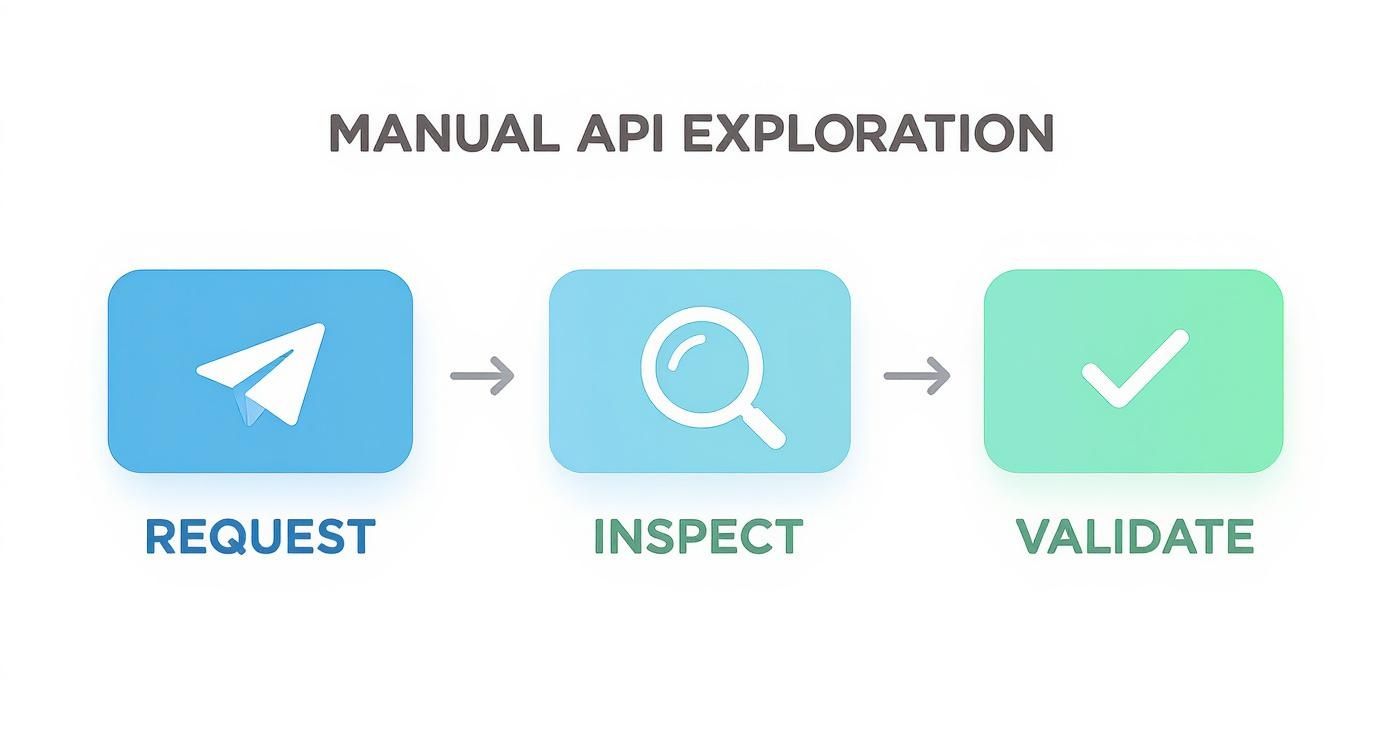
This core loop—request, inspect, validate—is exactly what your automated tests will do, just hundreds or thousands of times faster than you ever could.
Choosing Your Framework
The world of testing tools is huge, but you don't need some overly complex system to get started. The smartest move is to pick a framework that plays nicely with your existing tech stack.
- For JavaScript/Node.js: The go-to combo is Jest for the test runner and Supertest for making HTTP requests and assertions. They work together seamlessly and make testing your API feel incredibly straightforward.
- For Python: You can't go wrong with Pytest and the beloved Requests library. The syntax is so clean and readable that your API tests almost document themselves.
If you want to dig deeper, you can explore a rundown of the best tools for API testing to see what else is out there.
Writing Your First API Tests
A solid test suite does more than just check for 200 OK responses. It needs to be a bit cynical. You should be actively testing for expected error conditions and verifying the integrity of the data being returned. Every good test suite covers these three bases: successful responses, expected errors, and the data schema.
Let's imagine you're testing a GET /users/1 endpoint. Here’s what a basic test might look like using Jest and Supertest in a JavaScript project.
describe('GET /users/:id', () => { it('should return a user if a valid ID is passed', async () => { const response = await request(app).get('/users/1'); expect(response.statusCode).toBe(200); expect(response.body).toHaveProperty('id', 1); expect(response.body).toHaveProperty('email'); });
it('should return a 404 error if the user does not exist', async () => {
const response = await request(app).get('/users/999');
expect(response.statusCode).toBe(404);
});
});
See how specific those assertions are? We're not just looking for a 200 status. We're making sure the id in the response body is correct and that an email property exists. Just as crucial is the second test, which proves that the API correctly returns a 404 Not Found for a user that doesn't exist. That's how you build confidence.
Expert Tip: Don't dump all your tests into one giant file. Organize them into suites that mirror your API's resources. For instance, create
users.test.js,products.test.js, andorders.test.js. This simple practice makes your test suite infinitely easier to navigate and maintain as it inevitably grows.
Advanced Strategies for Bulletproof APIs
So, your automated functional tests are all green. That’s a huge milestone, but it's really just the beginning. A truly resilient API has to do more than just work—it has to withstand the chaos of the real world. Think unpredictable traffic spikes, failing dependencies, and breaking changes from other services.
This is where you level up your testing game. We're moving beyond simple validation to ensure your API is genuinely production-ready.
The reality is, in an API-first world, the stakes are incredibly high. By 2025, an estimated 82% of organizations will have adopted an API-first strategy, and RESTful APIs are still the undisputed champions, used in 93% of companies. These numbers from the 2025 State of API Report show that APIs aren't just features anymore; they're core business products that demand bulletproof testing.
Prevent Breaking Changes with Contract Testing
If you're working in a microservices architecture, you know the fear: one team changes their API and unknowingly breaks another team's service. Contract testing is the exact tool designed to prevent this nightmare. Think of it as a formal agreement, or a "contract," between an API provider and its consumers.
Tools like Pact get this done by letting the consumer service define its exact expectations in a contract file. The provider service can then run its tests against this file to make sure it hasn't violated any of the consumer's needs. The best part? This check happens before deployment, catching breaking changes early in the pipeline, long before they can cause a production fire.
Simulate Reality with Performance and Load Testing
Your API might handle a single user flawlessly, but what happens when a thousand users hit it at the exact same time? Performance and load testing is how you find out without waiting for a real-world meltdown. You're essentially simulating heavy user traffic to uncover bottlenecks and breaking points before your customers do.
Using tools like k6 or JMeter, you can script realistic user scenarios and flood your API with virtual users. This helps you measure what really matters:
- Response Time: How long does the API take to respond when it's under stress?
- Throughput: How many requests per second can it actually handle?
- Error Rate: Do errors start popping up as traffic increases?
By pushing your API to its limits in a controlled environment, you can proactively scale your infrastructure or pinpoint code that needs optimization. This ensures a smooth experience for your users, even during the busiest moments.
Pro Tip: Don't just test the "happy path." A truly great performance test also hammers the endpoints you know are resource-intensive, like those running complex queries or processing large payloads. This gives you a much more honest picture of your API's real-world limits.
Embrace Chaos with Mocking and Failure Simulation
What happens when that critical downstream service your API depends on goes offline or suddenly becomes painfully slow? You can't just take down production dependencies to find out. This is where modern mocking and simulation tools become indispensable.
Platforms like DotMock let you record real API traffic and then intercept requests to generate dynamic mocks on the fly. This gives you a safe way to test complex failure scenarios without touching a single live system. You can easily simulate:
- HTTP 500 Errors: Test how gracefully your application handles a critical dependency failing.
- Network Latency: Inject artificial delays to see how your service copes with a slow partner API.
- Timeouts: Make sure your application has proper timeout logic and doesn't just hang forever waiting for a response.
By deliberately injecting failure, you can build and validate resilient error handling and fallback mechanisms. This practice is a cornerstone of any serious testing strategy. To see how these advanced techniques fit into the bigger picture, check out this comprehensive guide to the quality assurance testing process.
Weaving API Tests Into Your CI/CD Pipeline

An automated test suite sitting on a developer's machine is only half the story. The real power is unleashed when you wire those tests directly into your Continuous Integration/Continuous Deployment (CI/CD) pipeline. This move transforms testing from a periodic, manual task into a fully automated quality gate that stands guard over your production environment.
When your test suite is part of the pipeline, every single git push or pull request can automatically trigger a complete validation of your API. This creates a tight feedback loop, giving your team near-instant confirmation that their changes are safe. It's how modern teams build the confidence to deploy faster and more often—a core principle of a healthy DevOps culture.
A Practical Blueprint with GitHub Actions
Getting this set up isn't as complex as it might seem. Most modern CI/CD platforms, like GitHub Actions, rely on a simple YAML file to orchestrate the entire workflow. You're basically just writing down the instructions for the build server.
A typical workflow for API testing boils down to a few essential stages:
- Checkout Code: Grabs the latest version of your repository.
- Install Dependencies: Sets up the environment with the necessary libraries (e.g.,
npm install). - Run Tests: Kicks off your test script (e.g.,
npm test).
This straightforward process ensures your API is always in a tested, releasable state. For a deeper dive into optimizing these workflows, it’s worth exploring some established continuous integration best practices.
Pro Tip: Whatever you do, don't run automated tests against your live production environment. A proper CI/CD pipeline should spin up an isolated, temporary environment—often using Docker containers—to host the API and its dependencies. This keeps your tests consistent and prevents them from impacting real users.
Handling Secrets and Alerts the Right Way
Your tests will almost certainly need sensitive information like API keys, tokens, or database credentials. The golden rule is to never hardcode these directly into your test files or configuration. It’s a massive security risk.
Instead, use the secret management tools built into your CI/CD platform. GitHub Actions, for instance, lets you store encrypted secrets that are securely injected as environment variables only when the pipeline runs.
Another non-negotiable practice is setting up automated notifications. Configure your pipeline to fire off a message to a team Slack channel or even create a JIRA ticket the moment a build fails. This instant alert means breaking changes get fixed immediately, keeping the development momentum going and stopping bad code from ever being merged.
This level of automation is essential in a world where APIs are the connective tissue of business. The global open API market was valued at $4.53 billion in 2024 and is on track to reach an incredible $31.03 billion by 2033. This explosion is fueled by the demand for quicker, more dependable system integrations. You can find more details on the incredible growth of real-time data integration.
Frequently Asked Questions About Testing REST APIs
Even with the best strategy in place, you're bound to hit some familiar roadblocks when testing REST APIs. It happens to everyone. Let's walk through some of the most common questions and sticking points that pop up for developers and QA engineers.
What's the Real Difference Between Unit and Integration Tests for an API?
This is a big one, and the line can feel a bit blurry at first.
Think of API unit tests as putting a single endpoint under a microscope. You're testing it in complete isolation. The whole point is to make sure its own internal logic works perfectly without any outside interference. For a GET /users/{id} endpoint, for example, a unit test would mock the database connection to verify that it returns a user for a valid ID and a 404 Not Found for one that doesn't exist. You're not actually talking to a real database.
API integration tests, on the other hand, are all about teamwork. You're checking how multiple services or endpoints play together to complete a real-world task. A great example is testing a user signup flow. Your test might hit the POST /users endpoint to create a user, and then verify that the notifications-api correctly received a request to send a welcome email. It's about testing the connections and data handoffs between different parts of your system.
How Should I Handle Authentication in My Automated Tests?
First, a golden rule: never, ever hardcode credentials like API keys or tokens directly in your test code. It's a massive security hole waiting to be exploited.
The standard and most secure way to handle this is with environment variables. Your CI/CD pipeline, whether you're using GitHub Actions, GitLab CI, or something else, is built for this. These tools let you store secrets securely, and they'll inject them into the testing environment only when the tests are actually running. This keeps them out of your Git history and codebase for good.
For tests where you need a fresh auth token for every run, write a helper function that runs before your test suite. This "setup" function can hit your authentication endpoint, grab the token, and store it for all subsequent API calls within that test session.
What Should I Actually Check in an API Response?
Just seeing a 200 OK status code is not enough. Not even close. A rock-solid test needs to dig deeper and validate three key things to be sure the API is behaving exactly as it should.
The HTTP Status Code: This is your first line of defense. Is the code correct for the scenario? You're not just looking for
200s. You need to confirm you get the right codes for successful creations (201 Created), successful but empty responses (204 No Content), and all the expected errors (400 Bad Request,401 Unauthorized, etc.).The Response Body: Don't just check that a body was returned. You have to inspect the payload itself. Does it match the expected JSON schema? Are the data types correct (e.g., is an ID a number and not a string)? Are the values what you expect?
Response Headers: Headers are easy to forget, but they can be critical. Always check for important ones like
Content-Type(it should probably beapplication/json) and any custom headers your API uses for things like rate-limiting or caching.
Testing for tricky scenarios like a downstream service failing or network lag is crucial for building a truly resilient application. With a tool like DotMock, your team can easily intercept live traffic, generate dynamic mocks in just a few seconds, and safely simulate failure conditions. It's a huge step toward shipping with real confidence. Start mocking for free today.