
At its core, REST API testing is simply making sure your APIs work as they should. It's the process of checking if they can handle requests, send back the right data, and generally behave reliably and securely. Think of it as the final quality check before your application's logic is exposed to the world—or even to other internal services.
Why REST API Testing Is Your Application's Backbone
Let's get past the textbook definitions. Solid REST API testing is what stands between a smooth, reliable user experience and a complete system meltdown. This isn't just about ticking a box on a QA checklist; it's a fundamental practice that protects your application's integrity, your company's reputation, and ultimately, your bottom line.
Picture this: a bug in your payment API starts miscalculating transactions or, even worse, exposes customer credit card details. The fallout is instant and brutal—you're dealing with lost sales, shattered customer trust, and a potential legal nightmare. This is where you see the real, tangible value of methodical API testing. It shores up your application, making sure every single interaction between services is both accurate and secure.
The Real-World Business Impact
Good testing has a direct and measurable impact on the business. When you validate every endpoint, you're not just squashing bugs. You're proactively stopping problems that could easily lead to costly downtime or a reputation-damaging security breach. If you look at the root cause of many high-profile data leaks and outages, you'll often find an overlooked API flaw at the center of it.
Today, with applications built on a complex web of interconnected services, skipping this step is no longer an option. This shift is clearly visible in market trends. The global API Testing market was valued at around USD 1,361 million and is expected to balloon to nearly USD 6,050 million, a surge driven by the urgent need for dependable, automated validation.
A well-tested API is a reliable API. Reliability builds user trust, and trust is the foundation of any successful digital product. Overlooking this stage is like building a skyscraper on a shaky foundation—it’s not a matter of if it will fail, but when.
What This Guide Will Cover
This guide is designed to be your complete roadmap for creating a testing practice that genuinely protects your products. We'll walk through everything from planning your initial strategy to implementing advanced automation, giving you the hands-on knowledge to build a truly resilient QA process. To get started, it's worth reviewing the fundamentals of API testing to build a strong foundation.
Here’s a quick look at what we'll get into:
- Crafting a Test Strategy: We'll cover how to dissect API documentation and figure out which endpoints need the most attention.
- Exploring Test Types: Taking a closer look at unit, integration, contract, and security testing. For a refresher on the basics, our post on what is API testing is a great place to start.
- Mastering Automation: You'll find practical scripts and comparisons of popular frameworks like Postman and REST Assured.
- Advanced Techniques: We’ll explore how to simulate failures and mock dependencies to prepare your API for real-world chaos.
Building Your REST API Test Strategy
Before you write a single line of test code, you need a solid plan. A well-defined test strategy is your blueprint, making sure your API testing is focused, efficient, and actually tied to what the business needs. It’s the difference between a reactive bug hunt and a proactive quality assurance process.
Rushing into scripting without a strategy is like driving without a map—you’ll get somewhere, but probably not where you intended. This planning phase is where you decide what to test, how to test it, and why it matters. Trust me, it saves a ton of time and headaches down the road.
Dissecting Your API Documentation
First things first: become an expert on the API you're testing. The API documentation, usually a Swagger or OpenAPI spec, is your bible. Treat it like a contract that spells out every single promise the API makes.
Dig deep into that specification to really get a handle on each endpoint. You’ll want to pay close attention to a few key areas:
- HTTP Methods: Which methods (GET, POST, PUT, DELETE) does each resource support?
- Request Payloads: What are the required and optional fields for POST and PUT requests? Check their data types and any constraints.
- Response Structures: What should the JSON or XML look like for both success and error states?
- Status Codes: What HTTP status codes should you expect? Think 200, 201, 400, 404, 500, and so on.
- Authentication: How is it secured? Is it API keys, OAuth 2.0, or JWT tokens?
Doing this homework lets you build a comprehensive checklist of things to verify before you even open your testing tool.
This level of detail is critical because APIs are no longer just a technical component; they're a core business driver. The API management market, where testing is a vital function, hit around USD 6.89 billion and is expected to climb to USD 32.77 billion, growing at a CAGR of 25%. That kind of money on the line is exactly why a rigorous testing strategy is non-negotiable for protecting these valuable assets.
Prioritizing Critical User Journeys
Let's be realistic—you can't test everything with the same intensity. Nor should you. The smart move is to prioritize based on business risk and user impact. Start by mapping out the most critical user journeys that depend on the API.
Think about an e-commerce app. A crucial journey would be a user searching for a product, adding it to their cart, and checking out. This one flow hits multiple endpoints (GET /products, POST /cart, POST /orders). If any part of that chain breaks, you're losing money. It's that simple.
Pinpoint the endpoints that handle sensitive data, process financial transactions, or are central to your app's main purpose. These are your high-priority targets. They demand the most thorough testing, and focusing on them gives you the biggest bang for your buck.
As you outline your strategy, consider adopting a methodology like Test-Driven Development. It can seriously improve the quality and maintainability of your tests. It's worth exploring the Red-Green-Refactor TDD cycle to see how writing tests first often leads to better API design and more robust code.
This diagram shows how a solid testing process helps prevent breaches, ensure reliability, and protect revenue.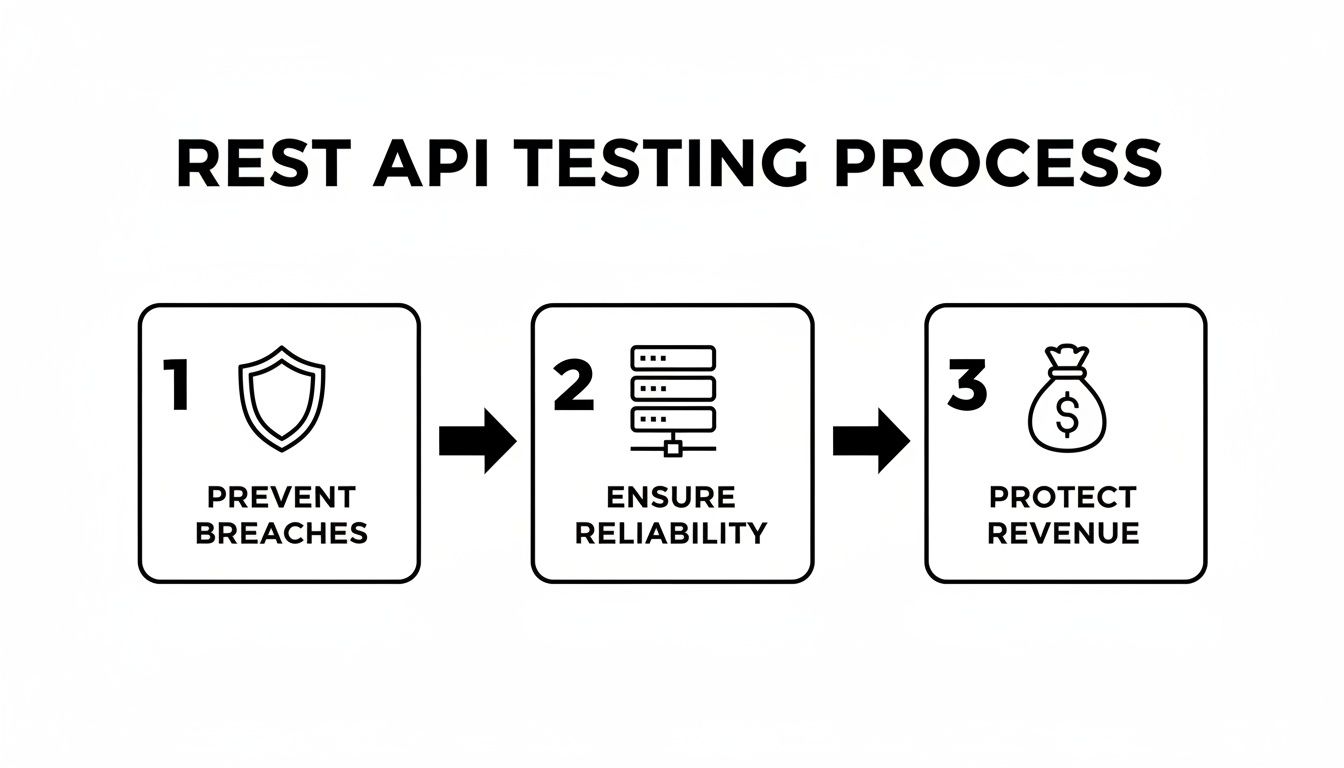
As you can see, a strategic approach isn't just about squashing bugs. It's a core business function that protects the entire application ecosystem.
Setting Clear and Measurable Objectives
Finally, you need to define what success looks like. Your goals should be specific, measurable, and tied to clear outcomes. "Improve API quality" is a nice thought, but it’s not an actionable goal.
Instead, set concrete targets. Here are a few examples:
- Functionality: Achieve a 95% test pass rate for all critical path endpoints.
- Performance: Ensure the average response time for
GET /users/{id}stays under 200ms with 50 concurrent users. - Security: Validate that no unauthorized access is possible for any admin-level endpoints.
- Reliability: Confirm the API correctly returns a
503 Service Unavailableerror when a downstream service is offline.
These clear objectives will guide how you design your test cases and give you real metrics for reporting on the health of your API. They’re the final piece of the puzzle in building a strategy that delivers actual, measurable value.
A Practical Look at Different API Test Types
A truly effective API testing strategy is all about layers. Just checking for a 200 OK is like giving a car a quick glance and declaring it roadworthy—you're missing everything happening under the hood. To build something that’s actually reliable, you need to dig deeper and validate every part of your API, from how a single endpoint behaves to how it plays with a whole ecosystem of other services.
Think of it like a quality control line in a factory. Each station has a specific job. One checks the paint, another tests the engine, and a third inspects the electronics. All of them working together is what ensures the final product is solid. Let's break down the essential "stations" for a robust API testing suite.
Focusing on Unit Tests
The first and most fundamental layer is unit testing. When we talk about unit tests for a REST API, we’re isolating a single endpoint and hammering it with every possible scenario to see if it behaves exactly as promised. The goal is to confirm that one specific function does its one job perfectly.
For instance, if you're testing a POST /users endpoint, you're not just looking for a 201 Created status. You need to verify that the response body actually contains the new user's ID. You also need to check that the data format matches the spec precisely. This tight focus is what lets you catch bugs early, long before they become bigger problems.
Here are the vitals you should be checking in every API unit test:
- Status Codes: Does a successful
GETreally return a200 OK? Does aPOSTgive you a201 Created? And just as important, does a junk request correctly fire off a400 Bad Request? - Response Payload: Is the JSON structure what you expect? Are all the required fields there? Are the data types correct—is an ID a number and not a string? These little details matter.
- Headers: Don't forget the headers. Is the
Content-Typeright? What aboutCache-Controlor any custom headers? These are often overlooked but are critical for how browsers, proxies, and clients interpret the response. - Error Handling: What happens when things go wrong? If I send a malformed payload, does the API give back a useful error message and the right
4xxstatus code?
Here’s a key piece of advice: The whole point of a unit test is isolation. If your
POST /ordersendpoint also triggers an email notification through a separate service, the unit test for that endpoint shouldn't care if the email service is up or down. You'd use a mock to pretend the email service is there, keeping your test fast, self-contained, and reliable.
Verifying Service Collaboration with Integration Tests
Unit tests are fantastic for ensuring individual components are solid, but they won't tell you if those components can actually talk to each other. That’s the job of integration tests. These tests are designed to verify the real-world communication and data handoffs between two or more services in your application.
This is absolutely essential in any modern microservices architecture. Your OrderService probably needs to ping the InventoryService to see if an item is in stock before it can finalize a purchase. An integration test would simulate that entire workflow, making sure the two services communicate correctly and that the business logic flows smoothly from start to finish.
Unlike unit tests, integration tests often run against live or nearly-live environments. They take more effort to set up and are slower to run, but they're the only way to catch the messy, real-world problems that pop up when systems interact. A classic issue they uncover is data drift—where one service updates its data format, and suddenly, the service that depends on it has no idea what it’s receiving.
Upholding Promises with Contract Testing
Now we get to a more specialized but incredibly powerful approach: contract testing. Imagine you have two services: a "provider" (the API) and a "consumer" (the client app that calls it). A contract test is there to make absolutely sure the provider can't make a change that breaks the consumer.
It all starts with a "contract," which is basically a file that records the consumer's expectations. The consumer team defines exactly how they will call the API and what kind of response they need to get back. This contract becomes the source of truth. Every time the provider team updates their API, they can run a test against this contract to instantly see if they've broken their promise to the consumer.
Tools like Pact have become the gold standard here. They give consumer and provider teams a way to evolve independently without stepping on each other's toes. This is a lifesaver for avoiding those frustrating "well, it worked on my machine" arguments that can grind development to a halt. It’s a safety net that keeps everyone honest and ensures that even in a fast-paced environment, the agreements between services hold strong.
Automating Your Tests with the Right Frameworks
In today's fast-paced development world, manual testing simply can't keep up. If you want to build a truly solid REST API testing process, automation isn’t just a nice-to-have; it's a core requirement. Automating your tests brings consistency, speeds up your feedback loop, and frees up your team to tackle the tricky problems instead of running the same checks over and over.
The first big decision is picking the right automation framework. This choice usually comes down to your team’s technical background and what your project actually needs. The end goal is to land on a tool that makes writing, maintaining, and scaling your tests feel natural, not like a chore.

Getting Started Quickly with Postman
For many teams, Postman is the gateway to API automation, and for good reason. Its visual interface is incredibly intuitive, which means both developers and QA engineers can jump in and start creating meaningful tests without slogging through a heavy learning curve.
You can easily chain requests together to mimic real user workflows. With a bit of JavaScript, you can write powerful assertions. For instance, you could quickly verify that a POST request to /users not only returns a 201 Created status but also includes a non-null id in the response body.
Here's what a simple Postman test script looks like:
// Test to verify the status code is 201
pm.test("Status code is 201 Created", function () {
pm.response.to.have.status(201);
});
// Test to check if the response body has a 'userId' property
pm.test("Response includes a userId", function () {
const responseData = pm.response.json();
pm.expect(responseData).to.have.property('userId');
});
With its collection runner, you can execute a whole suite of tests in one go, making it perfect for quick checks during development.
Robust Java-Based Testing with REST Assured
When your needs get more complex and you want to embed your API tests right into your Java codebase, REST Assured is a fantastic choice. It offers a clean, domain-specific language (DSL) that makes your test code incredibly readable.
Since it’s a Java library, you get to work within the ecosystem you already know, using powerful IDEs, debuggers, and build tools like Maven or Gradle. This makes it a go-to for teams who treat their test code with the same seriousness as their application code.
A basic test with REST Assured is clean and expressive:
import static io.restassured.RestAssured.;
import static org.hamcrest.Matchers.;
import org.junit.jupiter.api.Test;
public class UserApiTests {
@Test
public void whenGetUserById_thenReturnsCorrectUser() {
given().
pathParam("userId", 123).
when().
get("/api/users/{userId}").
then().
statusCode(200).
body("data.id", equalTo(123)).
body("data.email", containsString("@example.com"));
}
}
The given/when/then structure spells out the test's purpose, which is a lifesaver for long-term maintenance.
The real power of code-based frameworks like REST Assured lies in their scalability. You can build out complex helper classes, manage test data systematically, and plug everything seamlessly into your CI/CD pipeline. This is how your test suite becomes a true automated quality gate.
Flexible Python Testing with pytest
For teams living in the Python world, the combination of pytest and the requests library is hard to beat for its power and flexibility. Pytest is famous for its simple assertion syntax and its fixture model, which makes managing test states (like setup and teardown) almost effortless.
This pairing is ideal for writing clean, concise tests that are easy to maintain. The requests library handles the HTTP calls beautifully, while pytest takes care of test discovery, execution, and reporting. You can get a robust test suite off the ground in no time.
Here’s how you might test a GET endpoint:
import pytest
import requests
BASE_URL = "https://api.example.com/v1"
def test_get_product_details_success():
# Make the API call to a specific product endpoint
response = requests.get(f"{BASE_URL}/products/99")
# Assert the status code is 200 OK
assert response.status_code == 200

# Assert the response content type is JSON
assert "application/json" in response.headers["Content-Type"]

# Parse the JSON and assert specific data points
product_data = response.json()
assert product_data["id"] == 99
assert product_data["name"] == "Super Gadget"
Choosing the right tool is a big decision, and these three are just the tip of the iceberg. To help you navigate the options, we put together a quick comparison of some popular choices.
Comparison of API Testing Automation Tools
| Tool | Primary Language | Best For | Key Feature |
|---|---|---|---|
| Postman | JavaScript | Manual testing, exploratory testing, and teams new to automation. | User-friendly GUI and powerful collection runner. |
| REST Assured | Java | Teams building deep integration with Java/JVM applications. | Fluent, highly readable BDD-style syntax. |
| pytest + requests | Python | Python-based projects needing flexible and scalable tests. | Simple assertions and powerful fixture management. |
| Karate | Gherkin | Teams focused on BDD and non-programmers contributing to tests. | Combines API testing, mocks, and UI automation in one framework. |
Ultimately, the best framework is the one your team will actually adopt and use consistently. Whether it's the simplicity of Postman, the deep integration of REST Assured, or the Pythonic elegance of pytest, the goal is always the same: create a reliable, automated safety net that catches bugs long before they ever see the light of day.
For a deeper look, check out our guide on the best tools for API testing to compare more alternatives.
Getting Real: Handling Failure, Mocking, and Security

Sooner or later, every developer learns that real-world rest api testing is about more than just checking for 200 OK responses. To build truly resilient applications, you have to embrace chaos. You need to simulate failures, hunt for security holes, and prove your application can handle the unexpected.
This is where advanced techniques like API mocking and security testing come into play. They aren't just for corner cases; they're essential for creating a quality gate that actually means something. Mocking helps you see how your app behaves when its dependencies fail, while security testing ensures it can stand up to a real attack.
Isolate Your Services with API Mocking
Let's be honest: tests shouldn't fail because a third-party service is having a bad day or another team’s microservice is down. Effective testing demands isolation. That's the whole point of API mocking—creating a fake, or "mock," version of an API that you control completely.
This controlled environment is a game-changer. It makes your tests faster, more reliable, and totally independent of outside factors. But more importantly, it gives you the power to simulate scenarios that would be a nightmare to replicate with live services.
Tools like DotMock let you spin up mock endpoints in seconds to return whatever response you need. This is how you test for resilience.
What can you simulate?
- Server errors: What happens when you get a
503 Service Unavailableor a500 Internal Server Error? Does your retry logic kick in? Does the user see a friendly error message? Mocking lets you find out. - Client mistakes: Force a
404 Not Foundor401 Unauthorizedresponse to make sure your app handles it gracefully instead of crashing. - Slow networks: Introduce an artificial delay to a response. This is a great way to see how your UI holds up and if you need to add loading spinners or timeouts.
By simulating these failure modes, you shift from hoping things work to proving they don't break. This proactive approach is what separates a fragile application from a truly resilient one, ensuring a minor outage in a dependency doesn't cascade into a major failure for your users.
With a tool like DotMock, you can easily define a mock endpoint, set the status code, and craft the exact response body you want to test against.
This gives you total control to build precise failure scenarios in just a few clicks, no coding required.
Adopt a Security-First Mindset
APIs are the front door to your data, which makes them a huge target for attackers. Weaving security into your rest api testing is no longer a "nice-to-have"—it's a critical defense for your users and your business.
This means you need to start thinking like an attacker. Actively try to break your own API before someone else does. This mindset shift is about probing for common vulnerabilities from the very beginning of the development cycle.
The industry is waking up to this reality. The API security testing tools market was valued at around USD 1.2 billion and is expected to explode to nearly USD 26.8 billion, growing at a 36.4% CAGR. You can read more about the API security market on market.us. This isn't just a trend; it's a clear signal that protecting APIs is a core business need.
Practical API Security Checks You Can Run Today
You don't need to be a professional pentester to start finding weaknesses. Here are a few straightforward techniques you can work into your process right away:
Look for Broken Object-Level Authorization (BOLA): This is one of the most common and dangerous API flaws. The test is simple: can a user see or change data that isn't theirs? For instance, if you're logged in as User A, try changing the ID in a request from
/api/orders/123to/api/orders/456(User B's order). A secure API will shut this down with a403 Forbiddenor404 Not Found.Challenge Your Authentication: Never assume your protected endpoints are truly protected. Send requests without an auth token, with an expired one, or with a token from a different user. Every single time, the API should respond with a
401 Unauthorized. No exceptions.Fuzz Your Inputs: Fuzzing is the practice of throwing garbage at your API to see if it breaks. Send unexpected, malformed, or just plain random data to your endpoints. Try classic SQL injection payloads (
' OR 1=1;--), massive strings, or special characters in every input field. This is a quick way to find out if your validation and sanitization logic is up to scratch.
By building these mocking and security checks into your regular testing cycles, you’re not just catching bugs—you're building a more robust, reliable, and secure application from the ground up.
Integrating API Tests into Your CI/CD Pipeline
Writing automated tests is a huge step, but let's be honest—they don't do much good if they only run when someone remembers to. The real magic happens when your tests run automatically with every single code change. This is where integrating your REST API test suite into a Continuous Integration/Continuous Deployment (CI/CD) pipeline comes in.
This move transforms your test suite from a simple periodic check into a powerful, always-on quality gate for your entire development process. It's how you get immediate, reliable feedback and make sure that a bad commit never makes its way to production. The goal is simple: automate the build, test, and deployment cycle to catch bugs the moment they’re introduced.
Automating Feedback with CI/CD Platforms
Tools like GitHub Actions, GitLab CI, or Jenkins are built for this. You can set them up to watch your code repository for any changes. As soon as a developer pushes new code, the CI server springs into action, kicking off a series of jobs you’ve defined.
Typically, this workflow looks something like this:
- Build the application: The code is compiled, and a deployable artifact is created.
- Deploy to a staging environment: An isolated environment is spun up just for testing.
- Run the test suite: Your entire collection of REST API tests is executed against this fresh deployment.
If even a single test fails, the pipeline halts. The build is immediately marked as "failed," and the team gets notified. This instant feedback loop is what makes CI/CD so incredibly effective for maintaining code quality. For a deeper dive, our guide on continuous integration best practices offers some great advice for building a solid pipeline.
A CI/CD pipeline ensures that every commit is validated, turning your API tests into a proactive safety net. This process builds confidence and allows your team to move faster without sacrificing quality, because you know that a green build means the core functionality is solid.
A Practical GitHub Actions Example
Let’s look at how this might work in practice with a simple GitHub Actions configuration. You’d start by creating a YAML file, something like .github/workflows/main.yml, inside your project to define the automated workflow.
This file orchestrates the entire validation process. Here’s a conceptual example of what that might look like:
name: API Test and Deploy
on:
push:
branches: [ main ]
jobs:
test:
runs-on: ubuntu-latest
steps:
- name: Check out repository code
uses: actions/checkout@v3
- name: Set up Node.js
  uses: actions/setup-node@v3
  with:
    node-version: '18'

- name: Install dependencies
  run: npm install

- name: Run API tests
  run: npm test # This command executes your test suite
This configuration tells GitHub Actions to execute your test suite (using the npm test command) every single time code is pushed to the main branch. A failure here will block any further deployment steps, guaranteeing that broken code is caught before it can cause any real damage.
Common Questions We Hear About REST API Testing
When you first start digging into REST API testing, a few questions always seem to pop up. Let's tackle some of the most common ones I hear from teams to help you sidestep a few common roadblocks.
What’s the Real Difference Between API and UI Testing?
This is probably the most frequent question, and it's a good one. Think of it this way: API testing gets right to the heart of your application—the business logic layer. You're sending requests straight to the API endpoints, completely bypassing the user interface. This makes it incredibly fast and stable, perfect for hammering out core functionality, checking data integrity, and making sure integrations play nicely together.
UI testing, on the other hand, is all about the end-user experience. You’re testing the application just like a person would, clicking buttons and filling out forms in a browser. While essential for validating the user flow, it's naturally slower and can be brittle—even a small visual change can break your tests.
How Should I Handle Authentication in My API Tests?
Most APIs you'll work with use some form of token-based authentication, like OAuth 2.0 or JWT. The right way to handle this is to build a setup step directly into your automation script that logs in and fetches an authentication token, just like your real application would.
Once you have that token, store it in a variable and pass it in the Authorization header for all subsequent API calls to protected resources. This keeps your tests realistic and robust.
Pro Tip: Whatever you do, never hardcode tokens into your test scripts. They expire, they change, and it's a huge security risk. Always fetch them dynamically at the start of your test run. Your future self will thank you.
Is It Really Necessary to Mock Dependencies for API Tests?
Yes, one hundred percent. Mocking external services is a non-negotiable best practice, especially when you're running integration tests. It lets you isolate the API you’re actually trying to test, which makes your tests faster and far more reliable because you aren't at the mercy of a third-party service's uptime.
Even better, mocking gives you the power to simulate scenarios that are tough or impossible to create with a live service. Want to know what happens when a dependency times out or sends back a 500 error? With a mock, you can trigger that specific condition on demand.
Ready to build resilient applications by simulating any API scenario? With DotMock, you can create production-ready mock APIs in seconds to test failure modes, accelerate development, and ship with confidence. Get started for free at dotmock.com.