
Testing a REST API is all about sending requests to its endpoints and then carefully checking what comes back. You're looking at everything—the status codes, the headers, and the data in the response body—to make sure it all lines up with what you expect. A solid testing plan doesn't just check one thing; it combines functional, performance, and security testing to build APIs that are truly reliable and robust.
Why Comprehensive API Testing Is So Important
In a world driven by interconnected services, your API is the central nervous system of your application. Think of it as a contract that defines how different parts of your system talk to each other, from the frontend all the way to third-party services. If that contract is flimsy or untested, the whole system becomes brittle. That's when you see production failures, corrupted data, and a user experience that tanks.
Good testing of REST APIs isn't just about making sure the "happy path" works. It's about intentionally trying to break things to see how your system handles the unexpected. This proactive approach pays off in a few huge ways:
- It stops regressions in their tracks. Automated tests are your safety net. They catch bugs introduced by new features long before a user ever sees them.
- It helps developers work together smoothly. A clear test suite is like living documentation. It shows exactly how an API is supposed to work, which cuts down on the friction between frontend and backend teams.
- It speeds up the entire development cycle. When you have a test suite you can trust, developers can refactor code and innovate without fear, knowing that any breaking changes will be caught right away.
- It makes your API more secure and reliable. Rigorous testing is how you find security holes and performance bottlenecks, ensuring your API is not just working, but also safe and scalable.
A Foundation Built on Precision
To really make your API robust, you have to get the details right. That means understanding the subtle but critical differences between HTTP methods. For example, Distinguishing Between PUT and PATCH Methods isn't just academic; it directly affects how you design your tests for updating resources, ensuring your API actually follows REST principles.
A comprehensive API testing strategy is your insurance policy against late-night production emergencies. It shifts quality control from a reactive, stressful event to a proactive, integrated part of your development process, ultimately leading to better products and happier teams.
Choosing the Right Tools for Your API Testing
When it comes to testing a REST API, your choice of tool really boils down to the job at hand. You wouldn't use a sledgehammer to hang a picture frame, and you don't need a massive automation framework just to ping an endpoint. The trick is matching the tool to your goal, whether you're doing a quick-and-dirty debug or building a rock-solid, automated safety net for your application.
Your toolkit can run the gamut from simple command-line utilities to polished GUI apps and full-blown coding frameworks. Each has its place. Starting with the basics helps you get fast feedback, while more advanced tools are there to help you build a testing strategy that lasts.
Quick Checks with Curl
Sometimes, all you need is a fast, no-frills way to hit an endpoint and see what it sends back. This is where curl comes in. It’s the undisputed command-line workhorse for this kind of thing, and it's already installed on just about every developer’s machine. It’s perfect for one-off sanity checks without ever leaving your terminal.
Let's say you just want to see if GET /users/123 is returning the right data. It's a one-liner:
curl -X GET https://api.example.com/users/123
Need to send some JSON in a POST request? curl handles that just as easily. You just add a few flags to set the method, add a Content-Type header, and pass in your data.
curl -X POST https://api.example.com/users
-H "Content-Type: application/json"
-d '{"name": "Jane Doe", "email": "[email protected]"}'
The real beauty of curl is how immediate it is. You get an instant response, headers and all, making it an essential first stop for development and debugging.
A Deeper Dive with Postman
When your testing needs get more complex than what a single command can handle, Postman is the logical next step. It wraps everything in a clean, user-friendly graphical interface that makes building and managing intricate API requests much more manageable. Critically, it bridges the gap between manual testing and true automation.
In Postman, you can group your requests into collections, which are basically executable folders for your API endpoints. This is incredibly helpful for keeping things organized, like grouping all your user management routes (/users, /users/{id}, etc.) together.
But Postman's real power is hiding in its "Tests" tab. Using simple JavaScript, you can write assertions to automatically validate the responses you get back. You can check for a 200 OK status code, make sure a specific JSON key exists, or confirm a value in the response body is exactly what you expect.
Postman turns a manual, repetitive process into a repeatable, semi-automated workflow. Writing a few lines of JavaScript to check a status code or a response value can save you countless hours of manual validation over the life of a project.
For example, after a POST request to create a new user, you might add a couple of quick tests like these:
pm.test("Status code is 201 Created", function () {
pm.response.to.have.status(201);
});
pm.test("Response body contains a user ID", function () {
const responseJson = pm.response.json();
pm.expect(responseJson.id).to.not.be.empty;
});
Full Automation with Pytest and Requests
When you’re ready to build a serious, version-controlled test suite that can run automatically in a CI/CD pipeline, it’s time to move to a code-based solution. Python is a fantastic choice here, thanks to its clean syntax and powerhouse libraries like pytest and requests. This approach elevates your API tests to first-class citizens, living right alongside your application code.
The requests library makes firing off HTTP requests feel almost trivial, while pytest gives you a mature testing framework with amazing features like fixtures and wonderfully expressive assertions.
Here’s what a simple integration test for a /users endpoint might look like:
import requests
import pytest
BASE_URL = "https://api.example.com"
def test_get_all_users_returns_200():
response = requests.get(f"{BASE_URL}/users")
assert response.status_code == 200
def test_create_user_returns_created_user():
payload = {"name": "John Smith", "email": "[email protected]"}
response = requests.post(f"{BASE_URL}/users", json=payload)
assert response.status_code == 201
response_data = response.json()
assert response_data["name"] == payload["name"]
This code is clean, readable, and easy to build on.
As you choose your tools, don't forget about security—a solid test suite should also check for common vulnerabilities. For that, you can find a great list of web application security testing tools that work well alongside functional testing. For an even more detailed breakdown, you can learn more about the best tools for API testing in our article.
Automating API Tests in Your CI/CD Pipeline
Manual testing is a great starting point, but let's be honest—it just doesn't scale. If you want to build a truly resilient API, automation is the only way forward. By plugging your test suite directly into a Continuous Integration/Continuous Delivery (CI/CD) pipeline, you transform testing from a periodic chore into a constant, reliable safety net.
This simple shift changes everything. You start catching regressions the moment they’re introduced, not days later when a manual QA cycle finally kicks off. It's all about building confidence right into your workflow, letting your team ship features faster without that nagging fear of breaking something important.
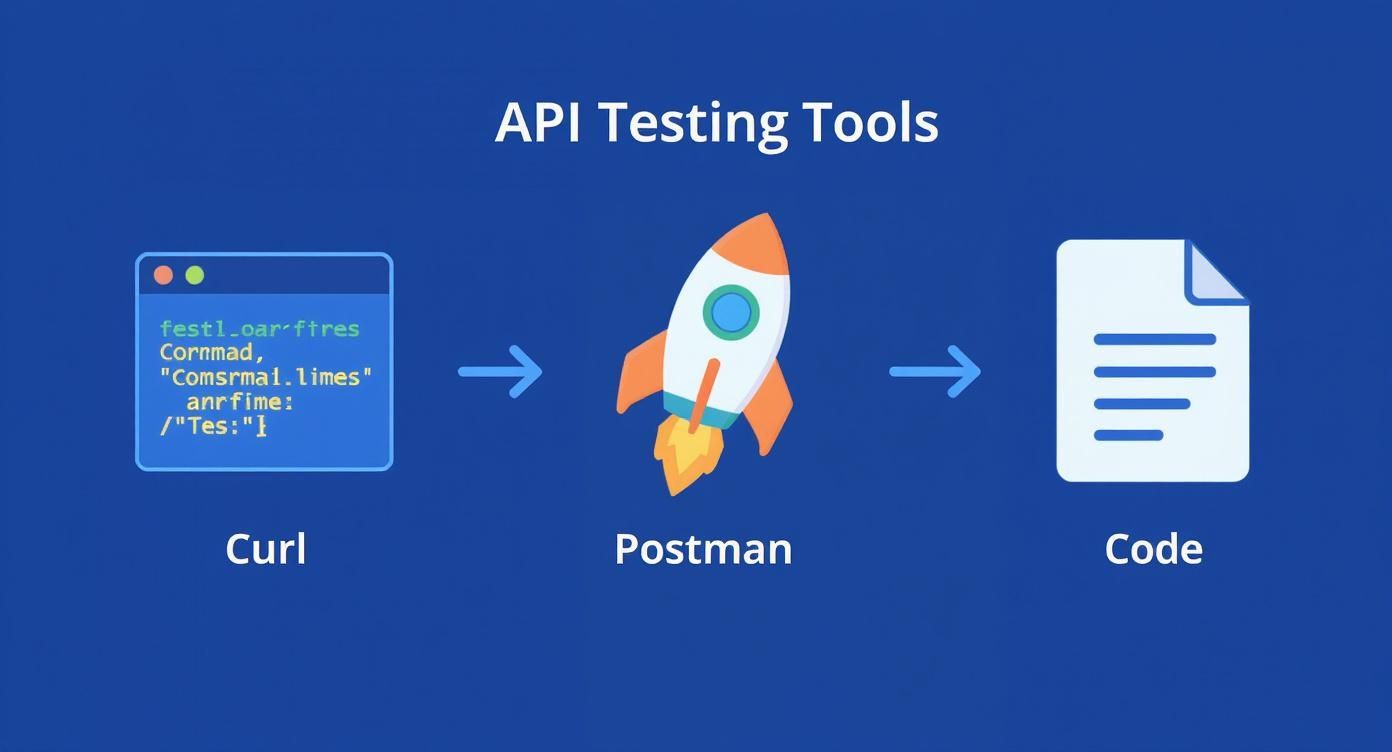
Think of it as a natural progression. You start with simple curl commands, move to a more organized tool like Postman, and eventually graduate to fully automated test scripts. That final stage is where the real power of CI/CD comes into play.
The Core of an Automated Workflow
At its heart, the concept is straightforward. Every time code is pushed to your repository—especially for a pull request—an automated process kicks off. This process checks out the new code, spins up the necessary environment, and runs your entire API test suite from top to bottom. If even one test fails, the pipeline stops dead in its tracks, preventing the flawed code from ever being merged.
This immediate feedback is incredibly powerful. It dramatically shrinks the time between introducing a bug and fixing it. In fact, organizations that get this right report a massive 63% faster time-to-market for new features. That speed isn't magic; it comes from catching issues early and deploying with a much higher degree of confidence.
A CI pipeline that fails loudly on a broken API test isn't a roadblock; it's a guardrail. It's there to protect your production environment and your users from entirely preventable problems.
A Practical Pipeline Configuration
Whether you're using GitHub Actions, GitLab CI, Jenkins, or another platform, the underlying principles are universal. You simply define a series of steps in a configuration file (typically YAML) that lives right alongside your code.
This configuration is your instruction manual for the CI runner, telling it exactly how to execute your tests. While the syntax varies slightly, a framework-agnostic setup for a pull request might look something like this:
name: API Integration Tests
on:
pull_request:
branches: [ main ]
jobs:
test-api:
runs-on: ubuntu-latest
steps:
- name: Checkout repository
uses: actions/checkout@v3
- name: Set up Node.js
  uses: actions/setup-node@v3
  with:
    node-version: '18'

- name: Install dependencies
  run: npm install

- name: Run API tests
  run: npm test
  env:
    API_BASE_URL: ${{ secrets.STAGING_API_URL }}
    API_AUTH_TOKEN: ${{ secrets.API_TEST_TOKEN }}
This simple example actually follows several best practices that are critical for a healthy pipeline.
Essential Practices for Pipeline Success
To get the most out of your automated testing, it pays to follow a few battle-tested guidelines. I've seen these make all the difference between a brittle pipeline and a reliable one.
- Manage Secrets Securely: Never, ever hardcode API keys, tokens, or passwords in your test files. Use your CI/CD platform’s secret management system (like
secretsin GitHub Actions). These are securely injected as environment variables at runtime, keeping your credentials out of your codebase. - Use Environment Variables for URLs: Your tests need to run against different environments, like development and staging. By defining the base URL as an environment variable, you can switch targets without touching a single line of test code.
- Generate Clear Test Reports: Configure your test runner to output reports in a standard format like JUnit XML. Most CI platforms can parse these files to display a clean, user-friendly summary of what passed and what failed, helping you pinpoint the exact problem in seconds.
- Fail Fast and Loud: The whole point of a CI test stage is to give you a clear pass/fail signal. Make sure your test script exits with a non-zero status code when a test fails. This is what tells the pipeline to stop and alert the team.
Adopting these principles embeds quality deep within your development process. To take your setup even further, have a look at our guide on continuous integration best practices for more advanced strategies.
Simulating the Real World with Mock APIs
Let’s be honest: effective API testing comes down to consistency. You simply can't build a solid test suite if the backend you're hitting is flaky, unfinished, or has real-world limits like rate-limiting. Pointing your tests directly at a live dev or staging environment is a recipe for disaster—it introduces so much unpredictability that your tests become a source of frustration instead of a safety net.
This is exactly where mock APIs become one of the most valuable tools in your belt. A mock API is just a controlled, simulated version of a real API that behaves in predictable ways. It lets you completely wall off your application from outside dependencies, making sure your tests are actually evaluating your code, not the unreliability of some other service.
Why You Really Need a Mock API
Relying on live services during development and testing is a classic anti-pattern that can bring your team to a grinding halt. I've seen it countless times: frontend developers get blocked waiting for the backend team to deploy an endpoint, and QA engineers can't reproduce bugs because the environment is constantly changing.
Mock APIs step in to solve these very real problems:
- Decouple Your Dependencies: Your frontend team can start building against a stable, predictable mock API way before the actual backend is even coded. This is how you achieve true parallel development, which drastically shortens feedback loops and gets features out the door faster.
- Create Rock-Solid Stability: A mock server is always on and always returns the exact response you told it to. No more test failures from network glitches, server downtime, or another team's deployment breaking the staging environment.
- Test for Failure Scenarios: It's incredibly difficult—and often risky—to purposely trigger a
500 Internal Server Erroror a network timeout on a shared server. Mocks make this easy, letting you build bulletproof error handling so your application fails gracefully. - Dodge External Costs: Many third-party APIs have usage fees or tight rate limits. Running thousands of automated tests against a live, paid service can get expensive, fast. Mocks give you a free, unlimited alternative for the bulk of your testing.
This whole idea is a key part of a bigger strategy called service virtualization. If you want to go deeper, we have a detailed guide that explores what is service virtualization.
A great mock API strategy is about more than just returning static JSON. It's about realistically simulating the full spectrum of behaviors—both good and bad—that your application will encounter in the real world. This is how you build truly resilient software.
Crafting Realistic Scenarios
The real magic of mocking happens when you start simulating diverse and difficult conditions. A good mocking tool, like DotMock, lets you move way beyond just returning a 200 OK. It gives you the power to build a full suite of test scenarios that cover every possible path your code might take.
Your goal should be to simulate a whole range of real-world responses to make sure your app can handle anything thrown at it.
Simulating Success
This is your "happy path," and it's the easiest one to set up. You just configure your mock endpoint to return a valid response, exactly like the real API would.
200 OKwith a valid JSON body: For aGETrequest to/users/1, your mock would return the user object you expect.201 Createdwith aLocationheader: When your app sends aPOSTto/users, the mock returns a success status and the URL of the new resource.
Simulating Client and Server Errors
This is where mocking delivers the most bang for your buck. You can effortlessly simulate what happens when things go wrong, whether it's on the client's side or the server's.
404 Not Found: What does your UI do when a user tries to view a resource that doesn't exist? A mock can simulate this instantly.401 Unauthorized: Test your app's login flow and session expiration logic by having the mock return an authentication error on cue.500 Internal Server Error: This is the classic "oops, something broke" response. Your mock can send this back with an empty body or a generic error message, letting you confirm that your app shows a friendly error page instead of just crashing.
Simulating Network Conditions
The internet isn't perfect. Connections get slow and APIs become unresponsive. A smart mocking tool lets you replicate these conditions to build a much tougher user experience.
- Latency Simulation: Configure a mock endpoint to have a 2-second delay before it responds. This is perfect for finding parts of your UI that feel sluggish and need a loading spinner.
- Request Timeouts: Simulate a request that just hangs, forcing your application's timeout logic to kick in. This is critical for preventing your app from freezing indefinitely.
- Rate Limiting: Have your mock start returning a
429 Too Many Requestsstatus code after a few calls. This lets you verify that your client-side logic correctly backs off and retries as it should.
By building out these diverse mock scenarios, you move beyond just testing a REST API and start actively hardening it against the chaos of the real world. This proactive approach ensures that when your application finally meets the real API, it's already prepared for whatever comes its way.
Advanced Testing for Performance and Security
So, your API works. The endpoints return the right data, and the status codes are all correct. Great. But we're not done yet.
An API that functions perfectly under ideal conditions but crumbles under a little pressure is a liability. Even worse is an API that works flawlessly but leaves a backdoor wide open for attackers. This is where we move beyond just asking "Does it work?" and start asking the really important questions: "Does it hold up?" and "Is it safe?"
https://www.youtube.com/embed/r-Jte8Y8zag
Think of performance and security testing as the final gatekeepers for a production-ready API. They are what make your service resilient, reliable, and trustworthy—essentials for keeping users happy and your infrastructure safe. In today's environment, skipping these steps is simply not an option.
Will Your API Survive Traffic Spikes?
Performance testing isn't just about clocking how fast your API is; it’s about finding its breaking point. You need to know exactly how it behaves when things get chaotic. Will response times slowly degrade, or will the whole service just fall over when you hit a certain number of concurrent users? This is precisely what tools like Apache JMeter and k6 are built to find out.
Instead of just checking for a 200 OK, these tools help you measure what really matters under pressure:
- Latency: How long does a user have to wait for a response? This is a direct measure of their experience.
- Throughput: How many requests can your API realistically handle per second? This defines its maximum capacity.
- Error Rate: What percentage of requests start failing as you ramp up the load? A rising error rate is usually the first red flag that your system is hitting its limit.
For instance, you could write a simple load test script in k6 that simulates 20 virtual users hitting an endpoint continuously for one minute. It's a fantastic baseline test to see how your API holds up to sustained, moderate traffic before you start pushing it harder.
The real goal of performance testing isn't to generate a spreadsheet full of numbers. It’s about finding the bottlenecks. Is it a slow database query? An inefficient bit of code? A third-party call that’s dragging everything down? You need to find these problems so you can fix them before they cause an outage on your biggest sales day.
Fortifying Your API Against Threats
When it comes to API security, what you don't know can and will hurt you. A single, overlooked vulnerability can quickly escalate into a massive data breach, making security testing an absolutely non-negotiable part of your workflow. The OWASP API Security Top 10 is the gold standard here, outlining the most critical risks modern APIs face.
This isn't a one-and-done check. Effective security testing is an ongoing process of actively trying to break your own defenses to find the holes before someone else does.
This critical need is clearly reflected in market trends. The global API security testing market was valued at around $1.09 billion in 2024 and is projected to explode to nearly $9.66 billion by 2032. That staggering growth shows just how seriously organizations are now taking the threat of API-focused attacks. You can read more about the API security testing market on Fortune Business Insights.
Common API Security Vulnerabilities and Tests
You don't need to be a professional penetration tester to start spotting common security flaws. Many of the most frequent issues can be uncovered with simple, targeted tests using the tools you already have, like Postman or curl.
To help you get started, here’s a quick look at some of the top vulnerabilities from the OWASP list and how you can begin testing for them right now.
| Vulnerability (OWASP API Top 10) | Description | Example Test |
|---|---|---|
| Broken Object Level Authorization | The most common flaw. It occurs when a user can access or modify data that doesn't belong to them. | Authenticate as userA, then try to fetch data for userB (e.g., GET /api/orders/{userB_order_id}). You should get a 403 Forbidden. If you get the data, you have a critical vulnerability. |
| Broken Authentication | Weaknesses in how the API identifies users, such as weak passwords, flawed JWT validation, or unprotected endpoints. | Try to access a protected endpoint without an Authorization header. Send an expired or invalid token. Check if password reset flows are secure and don't leak information. |
| Improper Assets Management | Exposing old, unpatched API versions (e.g., /v1, /v2) or internal-only endpoints (e.g., /debug, /status) to the public. |
Use a directory scanning tool or simply try guessing common paths like /v1/users or /api/admin to see if forgotten endpoints are still live and accessible. |
| Security Misconfiguration | This includes issues like verbose error messages that leak internal details, missing security headers, or overly permissive CORS policies. | Intentionally send a malformed request to trigger an error. If the response includes a stack trace, database query, or internal file paths, it’s misconfigured. |
By running these kinds of tests, you can start building a much more robust security posture for your API.
Ultimately, combining rigorous load testing with a proactive security mindset is what elevates an API from merely functional to genuinely production-ready. This two-pronged approach to testing a REST API is how you build services that are not just fast and reliable, but also secure enough to withstand the challenges of the real world.
Got Questions About Testing REST APIs?
As you get deeper into testing REST APIs, a few common questions always seem to pop up. Whether you're trying to place API testing in the grand scheme of things or grappling with a tricky authentication flow, you're not alone. Let's tackle some of the most frequent hurdles so you can build your test suites with confidence.
API Testing vs. UI Testing: What’s the Real Difference?
It's easy to mix these two up, but they focus on completely different parts of your application. The best way I've found to think about it is to imagine your app is a restaurant.
API testing is like being in the kitchen, checking the engine room of the operation. You’re making sure the cooks (the business logic) can receive an order (an API request), prepare the right dish with the right ingredients (process the data), and send it out correctly (the response). This process is lightning-fast and laser-focused on core functionality—it doesn't care about the font on the menu or the lighting in the dining room.
UI testing, in contrast, is the full customer experience. It’s sitting down in the dining room, reading the menu, ordering from the waiter, and seeing how the food is actually presented on the plate. It's naturally slower because it has to interact with all the visual pieces, but it's the only way to be sure the entire user journey works as intended.
The takeaway? API tests are much faster and less brittle because they cut out the UI. This makes them perfect for running over and over again in your CI/CD pipeline. Save the slower UI tests for end-to-end checks right before a release.
How Do I Handle APIs That Need Authentication?
This is a classic challenge, but thankfully, there's a well-worn path for it. The vast majority of modern APIs are protected with token-based authentication, typically OAuth 2.0 or JWT (JSON Web Tokens). Your test automation just needs to act like a real client application.
From a practical standpoint, it’s a two-step dance:
- First, you hit an authentication endpoint to grab a token. Your test script will send a request (like
POST /auth/token) with a valid set of credentials. This might be a username/password pair or a client ID and secret. The server validates them and sends back a shiny new access token. - Then, you use that token for every other request. You'll need to store the token and pass it along in the
Authorizationheader of all subsequent API calls. The standard format isAuthorization: Bearer <your_token>.
In a real test suite, you’d typically run this authentication step once in a setup function before your tests kick off. This ensures a valid token is always ready to go.
Should I Be Mocking All My External API Dependencies?
For the bulk of your testing, the answer is a firm yes. When you're in the trenches writing unit and integration tests, you absolutely want to be mocking any external services your API relies on.
I can't stress this enough. Here's why it's a non-negotiable part of my workflow:
- Reliability: Mocks mean your tests won't flake out just because a third-party service is down or lagging. Your build stays green and predictable.
- Speed: Making real network calls is an eternity in test time. Mocks give you an instant response, keeping your feedback loop tight.
- Control: This is the big one. With a mock, you can force-feed your application specific scenarios. Need to see how your code handles a
500error or a rate limit? A mock can simulate that on demand.
That said, don't throw the baby out with the bathwater. It's still crucial to have a small, targeted suite of end-to-end (E2E) tests that run against live external services in a staging environment. This is your final sanity check to make sure the real integration points haven't drifted.
Ready to stop wrestling with unreliable test environments? With DotMock, you can create stable, realistic mock APIs in seconds to simulate any success or failure scenario. Test your application's resilience against timeouts, 500 errors, and more without impacting production. Get started for free at dotmock.com.