
Great API documentation is more than a simple reference manual; it's a critical tool that accelerates development, simplifies integration, and reduces support overhead. While good documentation might list endpoints and parameters, great documentation provides a comprehensive, interactive experience that empowers developers, QA engineers, and SREs to not just use an API, but to master it. It anticipates their needs, clarifies ambiguity, and offers practical solutions for real-world challenges.
This article moves beyond theory to provide a curated collection of excellent api documentation examples. We will dissect what makes them effective, from the clarity of their REST and GraphQL references to the utility of their interactive OpenAPI/Swagger consoles. For each platform, you will find a strategic breakdown, screenshots, and direct links to see them in action. We'll analyze specific tactics you can replicate, such as how they handle error codes, demonstrate webhook patterns, and provide SDK code samples that developers can actually use.
The goal is to equip you with a portfolio of proven strategies and actionable takeaways. Whether you're a developer building a user interface, a QA engineer designing failure-case tests, or an architect coordinating parallel workstreams, this guide offers concrete examples to elevate your own API documentation. You will learn not just what to include, but how to present it for maximum impact and developer adoption. We'll explore platforms like Postman, Rapid, and ReadMe to see how they set the standard for clarity, interactivity, and developer experience.
1. Postman API Network (Explore)
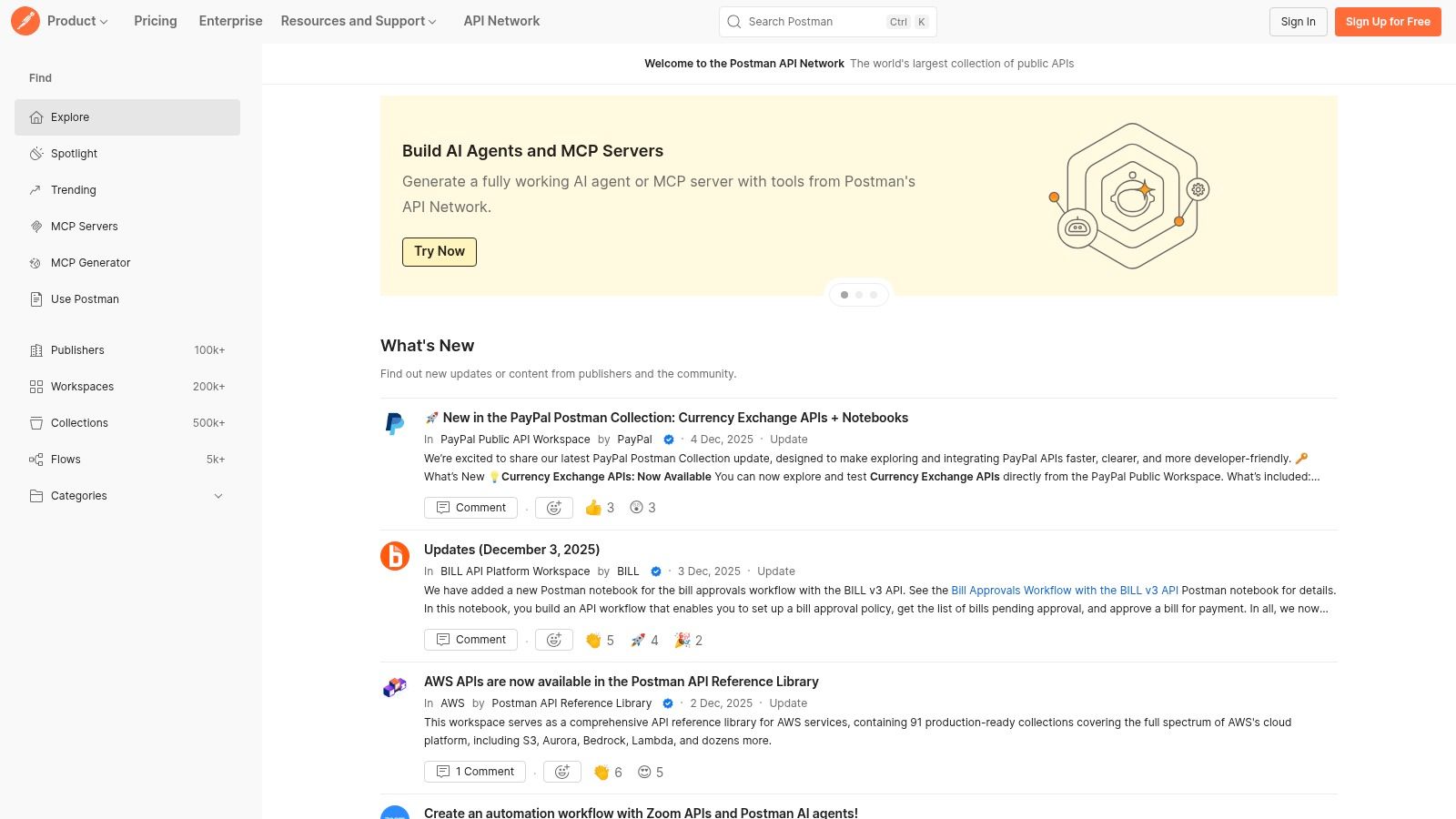
The Postman API Network is less a single example and more an immense library of real-world api documentation examples. It functions as the world's largest public hub for APIs, allowing developers to browse thousands of live, working documentation pages published directly by companies like Microsoft, Stripe, and Notion. This makes it an invaluable resource for understanding how different organizations structure their API documentation and for discovering new APIs.
Its primary strength lies in its interactive nature. Instead of just reading static text, you can directly interact with APIs from their documentation pages. The platform's tight integration with the Postman client allows users to fork an entire API collection, including its requests, documentation, and environment variables, into their own workspace with a single click. This hands-on approach dramatically accelerates the learning and integration process, moving you from discovery to a successful API call in seconds.
Strategic Analysis & Actionable Takeaways
Postman's platform is a masterclass in discoverability and developer experience (DX). It solves a fundamental problem: finding and evaluating APIs quickly. The "Run in Postman" feature is a key strategic advantage, turning passive documentation into an active development tool.
Key Insight: By centralizing thousands of APIs and providing a unified, interactive interface, Postman creates a powerful ecosystem. Developers come to explore and stay to build, test, and eventually publish their own APIs, creating a self-reinforcing loop of content and user growth.
For teams looking to improve their own documentation, the network provides a vast pool of inspiration. You can see how others handle everything from authentication and error codes to complex request body schemas.
Actionable Takeaways for Your Team:
- For Discovery: Use the search and filter functions to find documentation for APIs in your industry. Analyze how top companies structure their endpoints, document parameters, and provide example responses.
- For Onboarding: When onboarding new developers, have them explore and fork a few relevant API collections from the network. It's a practical way to get them familiar with API consumption patterns and the Postman tool itself.
- For Documentation Design: Before writing your own docs, browse 5-10 popular APIs on the network. Note what you like and dislike. Pay attention to the clarity of descriptions, the quality of code samples, and the overall navigation. This research can inform your own documentation strategy.
The Postman API Network is free to browse and explore. While the core functionality is accessible to everyone, publishing private APIs for internal team collaboration and accessing advanced governance features require a paid Postman plan.
Website: https://www.postman.com/explore
2. Rapid (RapidAPI)
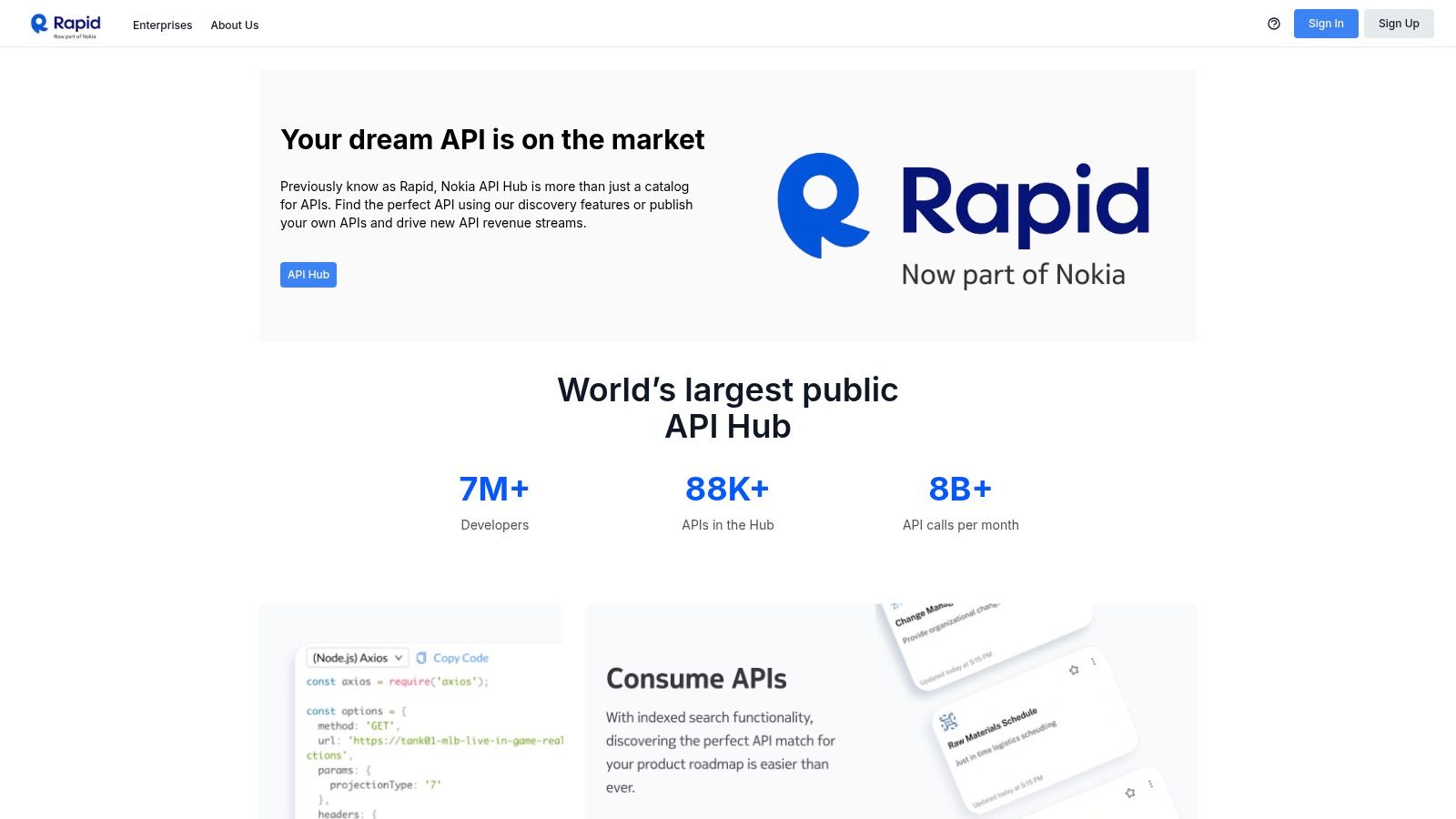
Rapid (formerly RapidAPI) is a massive API marketplace where developers can discover, connect to, and manage thousands of public APIs. It serves as a central hub where API providers publish their services, including documentation, pricing tiers, and usage quotas. This makes it a fantastic resource for comparing different api documentation examples side-by-side, evaluating functionality, and subscribing to services directly from a unified interface. The platform standardizes the discovery and integration process for a vast and diverse set of APIs.
The core value proposition of Rapid is its focus on the entire API consumption lifecycle, from discovery to billing. Developers can test endpoints directly within the documentation, using a standardized interface that provides code snippets in various languages. This consistency across different providers lowers the barrier to entry for trying new APIs. For providers, it offers a ready-made channel to monetize their services, complete with tools for managing subscriptions, analytics, and user access.
Strategic Analysis & Actionable Takeaways
Rapid's strategy centers on becoming the "Amazon for APIs," a one-stop shop for both consumption and distribution. By handling the complexities of billing, key management, and documentation presentation, it creates a low-friction environment for developers to experiment and for providers to find customers. The platform's standardized layout, while sometimes limiting for complex APIs, drastically simplifies the evaluation process for common use cases.
Key Insight: By abstracting away the unique billing and authentication systems of each API provider into a single subscription model and API key, Rapid significantly reduces the cognitive and administrative overhead for developers. This frictionless experience encourages experimentation and adoption, creating a powerful network effect that attracts more providers and consumers.
For teams building products, Rapid offers a treasure trove of APIs that can be integrated quickly, often with generous free tiers that are perfect for building proofs of concept and prototypes. The documentation, while provider-dependent in quality, follows a predictable structure, making it easier to navigate once you're familiar with the platform.
Actionable Takeaways for Your Team:
- For Prototyping: Use the marketplace to quickly find and subscribe to APIs with free tiers for your next project or proof of concept. The unified API key system allows you to swap out providers with minimal code changes.
- For Competitive Analysis: If you are building your own API, search for similar services on Rapid. Analyze their pricing structures, endpoint offerings, and documentation quality. This can provide valuable insights into market expectations and competitive positioning.
- For Documentation Standards: Observe how different providers use the standardized Rapid template. Note which ones provide clear endpoint descriptions, comprehensive examples, and well-defined schemas. Use these observations to establish a baseline for your own team's documentation quality, even if you don't publish on the platform.
Exploring and testing APIs on Rapid is free for consumers. Pricing is determined by each individual API provider, often including free, basic, and pro tiers. For providers, listing an API is free, but Rapid takes a 20% marketplace fee on all paid transactions.
Website: https://rapidapi.com
3. ReadMe
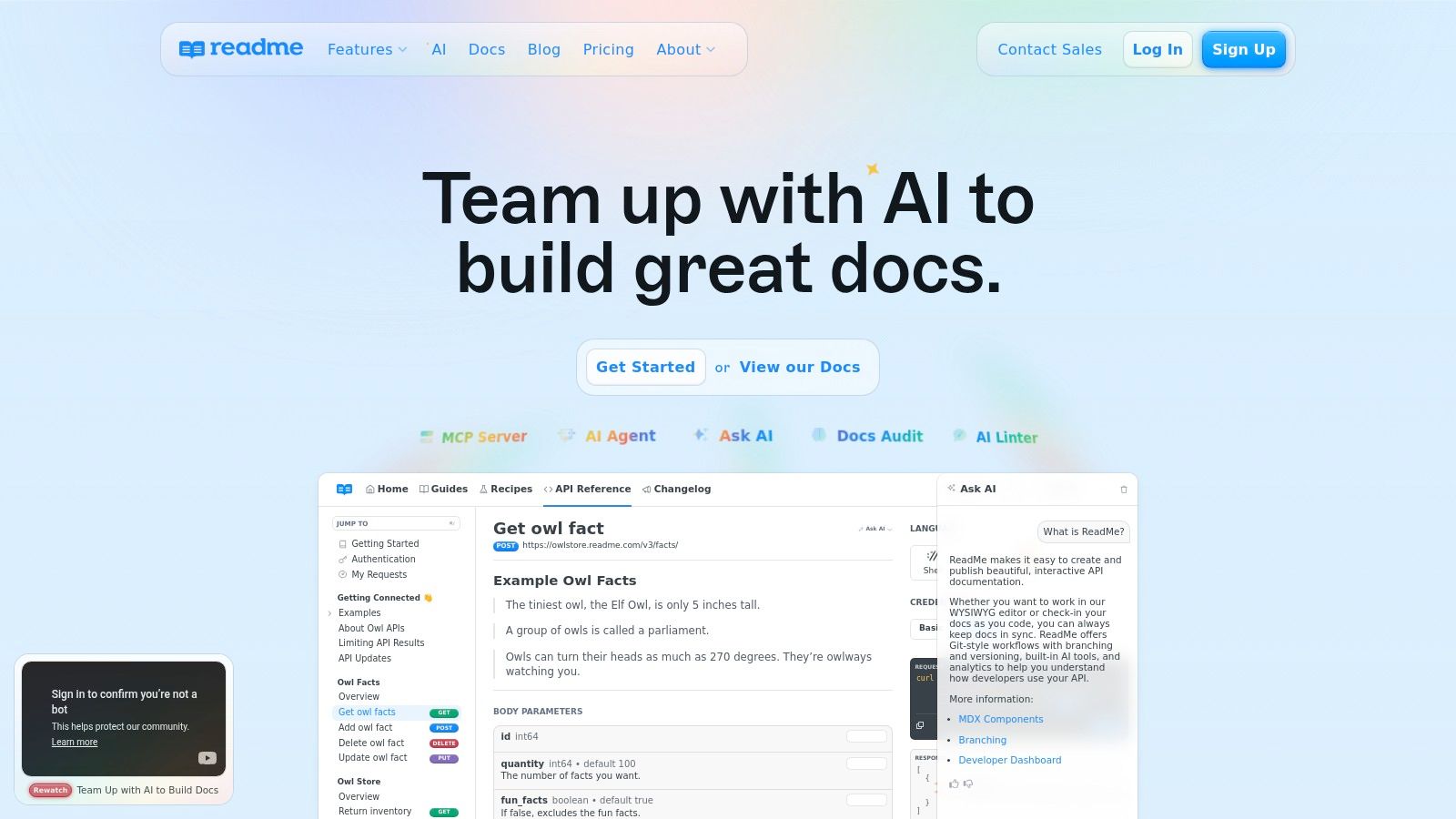
ReadMe is a dedicated platform for creating and hosting interactive API documentation and developer hubs. Many top SaaS companies like Notion, Retool, and Asana use it to power their developer portals, making it a goldmine of high-quality api documentation examples. Rather than being a single instance, ReadMe represents a consistent, user-friendly documentation standard seen across the industry. It excels at turning a static OpenAPI/Swagger specification into a polished, interactive, and easy-to-navigate experience.
The platform's core strength is its focus on the end-user developer experience (DX). Features like an interactive "Try It!" console, automatically generated code snippets in multiple languages, and a clear three-pane layout (navigation, content, code examples) are standard. This makes it incredibly easy for developers to find what they need and test API calls directly in their browser, significantly reducing the time it takes to get from reading docs to making a successful first call.
Strategic Analysis & Actionable Takeaways
ReadMe's strategy is to provide a turnkey solution for world-class API documentation, abstracting away the complexities of building a developer hub from scratch. This allows companies to focus on their API's quality rather than the infrastructure for documenting it. Features like integrated changelogs, discussion forums, and developer dashboards with usage metrics turn the documentation from a simple reference into a community and analytics hub. For an excellent starting point, you can learn more by exploring a comprehensive API documentation template that incorporates many of these best practices.
Key Insight: By combining a rich-text editor for non-technical contributors with deep technical capabilities (like OpenAPI/Swagger sync), ReadMe democratizes the documentation process. This enables product managers and technical writers to contribute alongside engineers, resulting in more comprehensive and user-centric documentation.
For organizations evaluating documentation platforms or seeking inspiration, the numerous public examples powered by ReadMe showcase a consistent and effective pattern for API reference design.
Actionable Takeaways for Your Team:
- For Competitive Analysis: Find 3-5 competitors or companies in your space that use ReadMe for their docs. Analyze their information architecture: How do they group endpoints? What kind of guides and tutorials do they provide alongside the API reference?
- For Improving DX: If your current documentation is static, use a ReadMe-powered site as a benchmark. Pay close attention to the interactivity of their "Try It!" feature, the clarity of their authentication instructions, and the quality of their auto-generated code samples.
- For Platform Evaluation: For teams needing a documentation solution, use a public ReadMe site to evaluate its features from a user's perspective. Test the search functionality, the API console, and the overall navigation to see if the experience aligns with your goals for your own developers.
ReadMe offers a free plan for open-source projects and startups, with paid plans that scale based on features like custom domains, enterprise SSO, and the number of projects.
Website: https://readme.com
4. Redocly
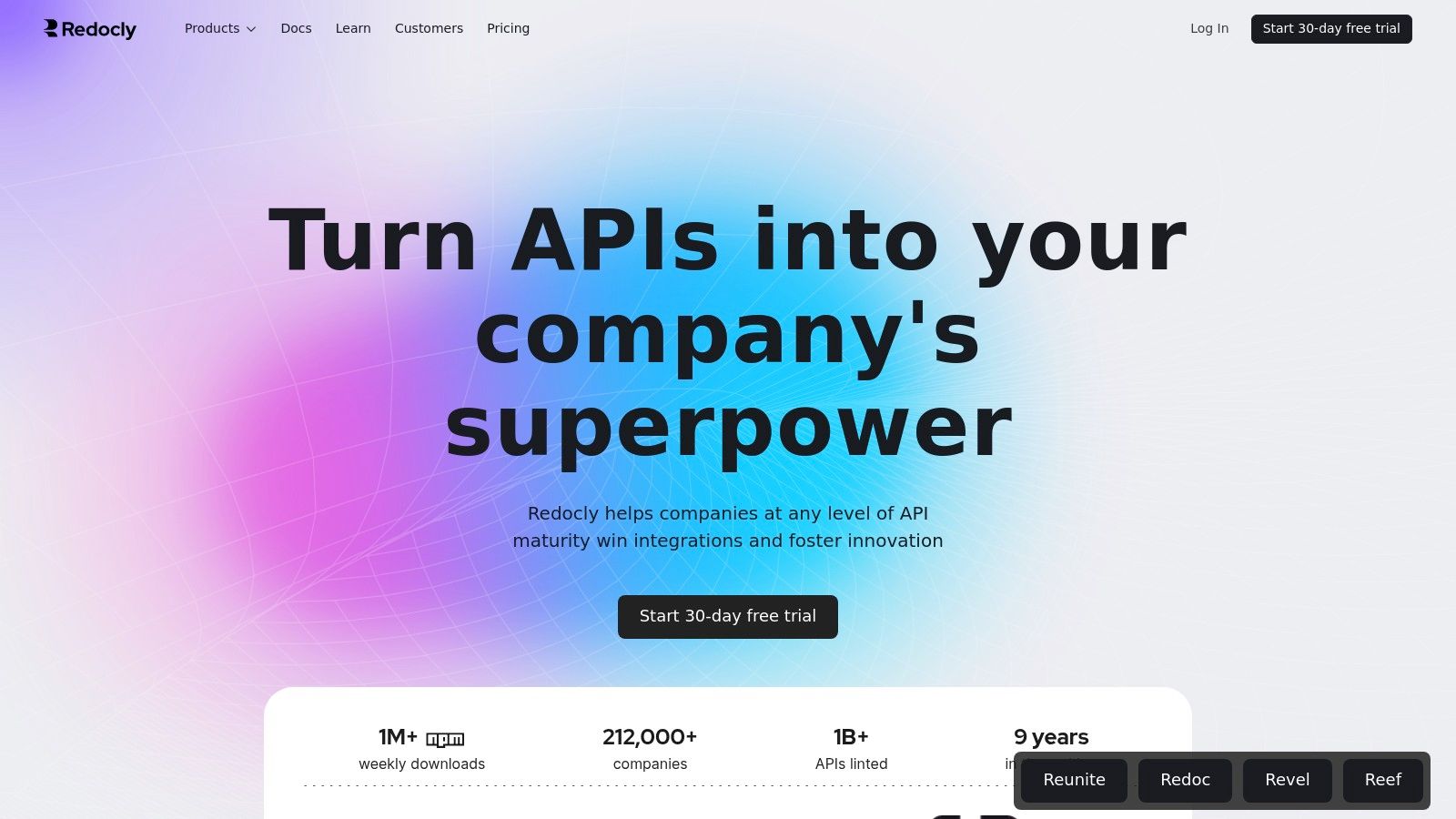
Redocly is an end-to-end platform for creating and managing high-quality, high-performance API documentation. While known for its popular open-source tool, Redoc, the full platform provides a suite of products designed to build everything from a single API reference page to a complete, feature-rich developer portal. This makes it an excellent place to see polished api documentation examples and understand the tools behind them.
The platform excels at turning a standard OpenAPI specification into a beautiful, responsive, and fast three-panel documentation site. Its strength is in rendering dense, complex API definitions into a clean, human-readable format that is easy to navigate. Beyond just rendering, Redocly's commercial offerings include features like an interactive "try-it" console, advanced search powered by AI, usage monitoring, and governance tools to enforce consistency across all API designs. This focus on both aesthetics and the underlying tooling makes it a powerful choice for organizations serious about their API strategy.
Strategic Analysis & Actionable Takeaways
Redocly's strategy is to win developers with a best-in-class open-source rendering engine (Redoc) and then provide a clear, modular upgrade path to a full-service developer portal and API governance platform. By focusing on exceptional rendering performance and design, they create a strong "docs-as-code" workflow that appeals to modern development teams. This approach treats documentation not as an afterthought but as a first-class product, managed and versioned alongside the API itself.
Key Insight: A key strategic advantage is the separation of concerns. The API specification (e.g., OpenAPI) is the single source of truth, and Redocly provides the premier presentation layer. This empowers teams to focus on designing great APIs, knowing the documentation will be generated beautifully and consistently.
For teams building their own documentation, Redocly serves as a benchmark for what modern, automated documentation should look and feel like. It demonstrates that following API documentation best practices can lead to a superior developer experience without requiring manual design work for every update.
Actionable Takeaways for Your Team:
- For Performance Benchmarking: Test your current API documentation's load time and responsiveness against a Redoc-generated site. A fast-loading, easily navigable reference page significantly improves the developer experience.
- For Design Inspiration: Use the Redocly example gallery to see how other companies structure their APIs. Pay close attention to the use of tags for grouping endpoints, clear summaries for operations, and detailed schema descriptions.
- For Adopting Docs-as-Code: Start by using the open-source Redoc CLI tool to generate a static HTML file from your existing OpenAPI specification. This is a low-effort way to evaluate the look and feel and introduce the "docs-as-code" workflow to your team.
Redocly's core Redoc library is open-source and free. The paid platform offers tiered plans for developer portals, API registries, and governance, starting with a basic tier that includes hosting for a set number of projects and users. Advanced features like single-tenant hosting and dedicated support are available on higher-priced enterprise plans.
Website: https://redocly.com
5. Stoplight
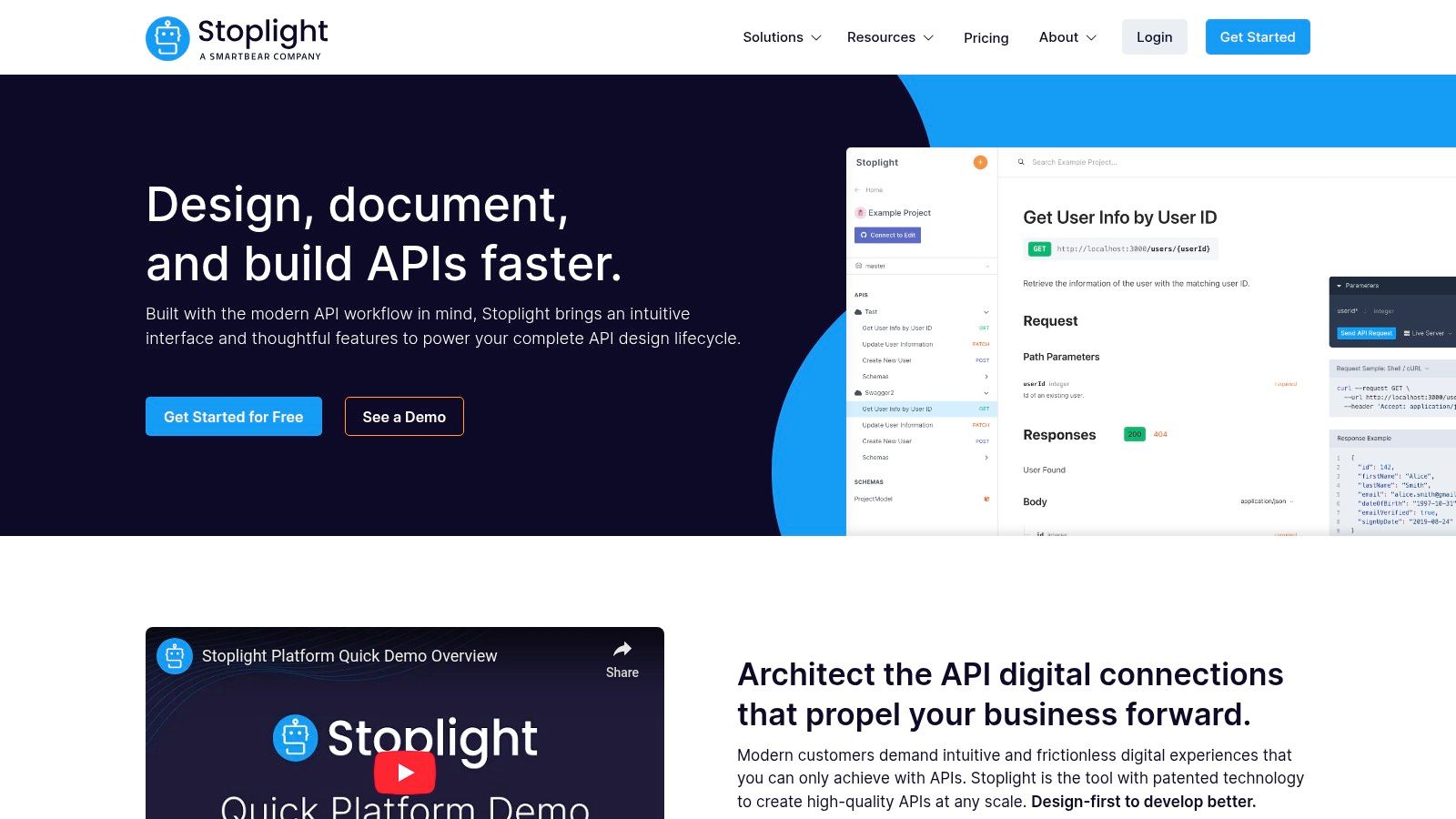
Stoplight champions a "design-first" approach to API development, making it an exceptional platform for teams that want to build and document their APIs with consistency and clarity from the very beginning. It combines a powerful visual OpenAPI/JSON Schema designer with instant mock servers and interactive documentation, creating a unified workspace for developers, technical writers, and product managers. This integrated toolchain ensures that documentation isn't an afterthought but a core part of the API lifecycle.
Its standout feature is the visual editor, which abstracts away much of the YAML or JSON complexity, allowing users to model endpoints, schemas, and responses through a user-friendly interface. This visual-first workflow is coupled with instant mock servers that are automatically generated from your API design. This allows frontend developers and QA teams to start building and testing against a stable, predictable API contract long before the backend code is even written, dramatically speeding up parallel development.
Strategic Analysis & Actionable Takeaways
Stoplight's strategy revolves around lowering the barrier to entry for high-quality, standardized API design. By providing visual tools and automated mocking, it turns the OpenAPI specification from a documentation artifact into an active, collaborative design tool. This emphasis on governance and consistency is critical for scaling teams, preventing the "API sprawl" that can occur when different teams build APIs without shared standards.
Key Insight: The tight coupling of design, mocking, and documentation creates a powerful feedback loop. A change in the visual designer immediately updates the mock server and the interactive docs, ensuring all stakeholders are always working with the latest version of the API contract.
For teams looking to adopt a design-first methodology, Stoplight provides the necessary guardrails. Its style guide feature can enforce rules like naming conventions and required security schemas across all projects, making it one of the best api documentation examples of built-in governance. This aligns engineering efforts and produces predictable, easy-to-consume APIs.
Actionable Takeaways for Your Team:
- For Design & Prototyping: Use the visual editor to collaboratively design a new API. Share the generated mock server URL with frontend and QA teams to get immediate feedback and unblock parallel workstreams.
- For Governance: Implement a spectral-powered style guide within Stoplight to enforce API design standards. This ensures that every new endpoint adheres to your organization's best practices for security, structure, and naming.
- For Documentation Publishing: Leverage Stoplight's hosting to publish beautiful, interactive documentation. Teams can easily import an OpenAPI specification to get started and then refine the documentation with rich text, images, and examples.
Stoplight offers a free plan for individuals and small projects. Paid plans (Starter, Pro, and Enterprise) unlock advanced features like custom branding, role-based access control, and SSO, making it suitable for larger organizations. Public documentation hosting does not count against user seats, encouraging open API publishing.
Website: https://stoplight.io
6. SmartBear API Hub (formerly SwaggerHub)
SmartBear API Hub, the evolution of the widely-used SwaggerHub, is a comprehensive platform built around the OpenAPI Specification for managing the full API lifecycle. It offers a modular suite of tools for API design, testing, and portal publication, making it a powerful choice for organizations aiming to standardize their API development process. For those looking for api documentation examples, the platform’s Portal module showcases best practices in generating clean, interactive, and consistent documentation from an OpenAPI definition.
The core strength of the API Hub lies in its design-first approach. Teams can collaboratively create and iterate on API designs using the OpenAPI (Swagger) editor, leveraging reusable components called Domains to ensure consistency across multiple APIs. This structured design process directly feeds into the documentation portal, meaning that the documentation is never an afterthought but a direct, always-up-to-date reflection of the API's contract. This is ideal for enterprise environments where consistency and governance are paramount.
Strategic Analysis & Actionable Takeaways
SmartBear's strategy is centered on providing an integrated, enterprise-grade solution for the entire API lifecycle, anchored by the OpenAPI standard. Unlike platforms focused solely on discovery, API Hub emphasizes governance, standardization, and reusability from the initial design phase. This makes it a strategic asset for large teams looking to scale their API programs without sacrificing quality or consistency.
Key Insight: By tightly coupling API design, documentation, and testing within a single platform, SmartBear reduces friction and eliminates the "source of truth" problem. The API definition itself becomes the central artifact that drives every subsequent step, from developer portal generation to automated testing.
For teams evaluating documentation tools, the API Hub demonstrates the power of a spec-driven workflow. It shows how investing in a solid OpenAPI definition upfront pays significant dividends in the quality and maintainability of the final developer portal.
Actionable Takeaways for Your Team:
- For Standardization: If your team struggles with inconsistent API styles and documentation, use the API Hub's design features as a model. Create a central repository for common data models (like
UserorAddress) and a style guide, even if you don't use the tool itself. - For Documentation Workflow: Evaluate how API Hub auto-generates portals. This can inspire your team to adopt a spec-first approach, where the OpenAPI/Swagger file is the single source of truth that generates documentation automatically via a CI/CD pipeline.
- For Enterprise Evaluation: Use the platform to understand the benefits of a full-lifecycle tool. Consider how features like reusable domains and integrated testing could improve your team's velocity and reduce errors compared to managing disparate tools for design, docs, and testing.
Access to SmartBear API Hub is modular. You can start with specific modules like Design or Portal and add others as needed. Pricing is tailored for teams and enterprises, often requiring a sales consultation, although some purchasing options are available via the AWS Marketplace.
Website: https://smartbear.com/product/api-hub
7. O’Reilly Learning
While other entries on this list provide direct api documentation examples, O'Reilly Learning offers something different: a structured, expert-led education on the principles behind great documentation. It’s an extensive digital library of books, video courses, and live online training focused on API design, development, and technical writing. This platform is less about a single documentation page and more about building the foundational knowledge needed to create world-class documentation yourself.
Instead of hunting for specific examples, developers and technical writers can immerse themselves in comprehensive guides from industry veterans. With over 60,000 titles, you can find deep dives on everything from RESTful API design patterns and OpenAPI specifications to strategies for communicating complex technical concepts clearly. Its strength lies in the high editorial quality and the breadth of content available through a single subscription, covering not just the "how" but the critical "why" behind documentation best practices.
Strategic Analysis & Actionable Takeaways
O'Reilly's strategy is to be the definitive educational resource for technical professionals, curating expert knowledge rather than just hosting documentation. By consolidating content from numerous respected publishers and authors, it becomes an indispensable tool for professional development. The platform effectively sells deep expertise, which is a crucial ingredient for any team aiming to elevate their API program from functional to exceptional.
Key Insight: Great documentation isn’t just about following a template; it's about understanding the principles of design, communication, and user empathy. O’Reilly provides the structured learning path to master these principles, turning good developers into great API documentarians.
For teams, this resource can standardize knowledge and establish a shared vocabulary for what constitutes high-quality documentation. It moves the conversation beyond subjective opinions to established, industry-vetted best practices.
Actionable Takeaways for Your Team:
- For Foundational Learning: Dedicate learning time for your team to go through a foundational book like "APIs: A Strategy Guide" or a video course on REST API design. This builds a strong, shared understanding of core concepts.
- For Skill Specialization: Encourage technical writers to explore specific titles on information architecture or API documentation tools. Developers can focus on books covering OpenAPI/Swagger or GraphQL schema design.
- For Continuous Improvement: Use the search feature to find solutions to specific documentation challenges as they arise. For example, search for "documenting error codes" or "API versioning strategies" to get expert opinions and curated examples from multiple sources.
Access to the O'Reilly Learning platform is available through a subscription model, with pricing for individuals and enterprise teams. While individual books are not always sold à la carte on the platform, the subscription provides immense value by unlocking the entire library.
Website: https://www.oreilly.com
Top 7 API Documentation Platforms — Feature Comparison
| Tool | Implementation complexity 🔄 | Resource requirements ⚡ | Expected outcomes ⭐ 📊 | Ideal use cases 💡 | Key advantages ⭐ |
|---|---|---|---|---|---|
| Postman API Network (Explore) | 🔄 Low — browse & run examples with minimal setup | ⚡ Low — free browsing; Postman app for full features | ⭐ Fast hands-on discovery; 📊 quality varies by publisher | 💡 Discover real-world docs and try endpoints quickly | ⭐ Massive directory; one-click Fork/Run |
| Rapid (RapidAPI) | 🔄 Medium — account, subscribe and test via marketplace | ⚡ Medium — billing/subscriptions; marketplace fee for providers | ⭐ Easy side-by-side evaluation; 📊 clear pricing/quota visibility | 💡 Compare and trial many APIs; subscribe centrally | ⭐ Centralized billing; standardized docs & snippets |
| ReadMe | 🔄 Medium — hosted authoring and OAS/Swagger integration | ⚡ Medium–High — paid tiers scale with features | ⭐ Polished interactive docs; 📊 analytics and versioning | 💡 Publish customer-facing API hubs and onboarding docs | ⭐ Strong end-user UX; AI assists and enterprise controls |
| Redocly | 🔄 Medium–High — tooling + portal integration and governance | ⚡ Medium — metered pages/monitoring costs | ⭐ High-performance reference; 📊 portal features and localization | 💡 High-scale reference docs and developer portals | ⭐ Excellent rendering and modular product set |
| Stoplight | 🔄 Medium — visual OpenAPI/JSON Schema design & workflows | ⚡ Medium — tiered features; collaboration limits on lower plans | ⭐ Consistent, example-rich docs; 📊 instant mocks for testing | 💡 Design-first modeling, mock-driven development | ⭐ Visual designer, governance, git-backed workflows |
| SmartBear API Hub (SwaggerHub) | 🔄 High — full lifecycle modules and enterprise setup | ⚡ High — enterprise pricing and add-ons | ⭐ Standardization at scale; 📊 spec-driven testing and reuse | 💡 Teams standardizing API design, testing, and portals | ⭐ Enterprise-grade governance and broad ecosystem |
| O’Reilly Learning | 🔄 Low — consume curated books, videos, and courses | ⚡ Medium — subscription required for full access | ⭐ Deep curated learning; 📊 broad patterns and examples | 💡 Structured learning and team upskilling on API practices | ⭐ High editorial quality and wide content library |
From Examples to Execution: Your API Documentation Playbook
We've journeyed through a comprehensive gallery of API documentation examples, deconstructing what makes each one effective. From the interactive power of Postman and Stoplight to the polished, static-site generation of Redocly, the common thread is a relentless focus on developer experience. Great documentation isn't just a manual; it's an interactive, educational, and supportive environment that accelerates integration and minimizes frustration.
The key takeaway is that best-in-class documentation is built on a foundation of clarity, interactivity, and completeness. It anticipates the needs of its audience, from frontend developers building UIs to SREs stress-testing system resilience. By providing executable code samples, detailed error guides, and interactive API explorers, these platforms transform a passive reading experience into an active development session.
Synthesizing the Core Lessons
Reflecting on the examples from Rapid, ReadMe, and SmartBear API Hub, several core principles emerge as non-negotiable for high-quality documentation:
- Interactivity is King: The ability to make a live API call directly from the documentation (the "try it out" feature) is the single most impactful feature for developer adoption. It closes the gap between theory and practice.
- Completeness Builds Trust: Comprehensive documentation covers more than just the "happy path." It meticulously details authentication schemes, error codes, rate limits, and webhook payloads, giving developers the confidence to build robust applications.
- Code is the Universal Language: Providing well-structured, copy-pasteable code snippets in multiple popular languages (like Python, JavaScript, and Java) drastically lowers the barrier to entry for developers.
The best API documentation examples demonstrate a deep empathy for the developer’s journey. They understand that a developer's first five minutes with an API are the most critical.
Your Actionable Roadmap to Better Docs
Moving from inspiration to implementation requires a strategic plan. Use the insights from this article to build your own documentation playbook. Start by defining your goals and understanding your specific audience's needs.
- Audit Your Current State: Where are the gaps in your existing documentation? Are your error messages clear? Are your code samples up-to-date? A candid assessment is the first step.
- Choose the Right Tool for the Job: Your choice of tooling will shape your entire workflow.
- For teams needing a powerful, collaborative design-first environment with integrated mocking, Stoplight or SmartBear API Hub are excellent choices.
- If user engagement, metrics, and a rich, blog-like experience are priorities, ReadMe excels.
- For teams that prefer an open-source, Git-based workflow with beautiful, customizable outputs, Redocly is the industry standard.
- Implement a "Docs-as-Code" Philosophy: Treat your documentation with the same rigor as your application code. Store it in version control, integrate it into your CI/CD pipeline, and establish a clear review process. This ensures your docs are always accurate and in sync with your API's latest version.
- Continuously Gather Feedback: Your documentation is never truly "done." Implement a feedback mechanism, whether it's a simple "Was this page helpful?" widget or a direct link to a support channel, to continuously improve your resources.
As you develop your own documentation playbook, studying existing examples can be invaluable. Consider the concise and practical Screenask Widget API Documentation as a reference for clarity and a developer-first approach. Ultimately, your goal is to create a resource that empowers users and turns your API into a product that developers love to use.
Ready to bridge the gap between documentation and development? DotMock helps you create high-fidelity, interactive API mocks directly from your OpenAPI specifications. Empower your frontend and QA teams to build and test against realistic API behavior, even before a single line of backend code is written. Explore how you can accelerate your development lifecycle at DotMock.